# Dely Food - Landing Page

***

## Intro

<figure><img src="https://1631686708-files.gitbook.io/~/files/v0/b/gitbook-x-prod.appspot.com/o/spaces%2FINotXGCaED1WuGcSU3ln%2Fuploads%2F7i8BEDDr6iaMVXUFX523%2Fhttps___meta-q.cdn.bubble.io_f1677579384120x170892257864992960_delyfood.png?alt=media&#x26;token=773adc7b-9d15-486d-8b69-d485882a8420" alt=""><figcaption></figcaption></figure>

## Links

🖥️ [Preview link](https://fooddeliverydelyfood.bubbleapps.io/)

🌐 [Template page on Bubble Marketplace](https://bubble.io/template/food-delivery---landing-page-1648132562677x224006383026569200)

***

## Screenshots

<div align="center" data-full-width="false"><figure><img src="https://1631686708-files.gitbook.io/~/files/v0/b/gitbook-x-prod.appspot.com/o/spaces%2FINotXGCaED1WuGcSU3ln%2Fuploads%2FXjetMEt3LgTwXCfAWNDf%2F1.png?alt=media&#x26;token=5c2a7f91-b172-4bad-b41b-ed7e9960a45e" alt=""><figcaption><p>Index page</p></figcaption></figure> <figure><img src="https://1631686708-files.gitbook.io/~/files/v0/b/gitbook-x-prod.appspot.com/o/spaces%2FINotXGCaED1WuGcSU3ln%2Fuploads%2FDFYWCgoxtmgq0WHub0MP%2F2.png?alt=media&#x26;token=1b6fc0d4-e6aa-49b8-bace-e1fb62f211b7" alt=""><figcaption><p>Restaurants</p></figcaption></figure> <figure><img src="https://1631686708-files.gitbook.io/~/files/v0/b/gitbook-x-prod.appspot.com/o/spaces%2FINotXGCaED1WuGcSU3ln%2Fuploads%2FeL3chPP4kGp6HkRJ37Nt%2F3.png?alt=media&#x26;token=b74524e9-bd14-42d8-af5a-a78c10a28001" alt=""><figcaption><p>Reviews</p></figcaption></figure></div>

***

## Template details

“DalyFood” is a free no-code template for your Startup. It offers a responsive landing page with modern design. The page includes 5 sections and a contact form.

Dely Food landing sections:

1. About Us&#x20;
2. Restaurants&#x20;
3. Price&#x20;
4. Reviews&#x20;
5. Our app&#x20;
6. Contact form

Dely Food landing features the following:&#x20;

✅ Landing page&#x20;

✅ New Responsive design&#x20;

✅ Contact form

This template is sold "as is" but if there are any critical bugs, feel free to reach out. Our team will try to fix them ASAP.\
\
We tried to keep all the workflows and design architecture simple for beginner-intermediate users to use and adjust. However, we recommend having at least moderate experience with Bubble to be able to fully use and edit the app’s backend.\
\
If you need any assistance to customize this template for your personal or business project, feel free to reach out to our team via <dev@appassion.io>. We are always there to help build new products and mobile/web applications.\
\
We hope this template would become a great starting point for your project.

{% hint style="warning" %}
*<mark style="color:red;">**Removing the banner**</mark>*

*<mark style="color:red;">**1. Open the app in Bubble editor**</mark>*&#x20;

*<mark style="color:red;">**2. Go to settings -> SEO/Metatags**</mark>*&#x20;

*<mark style="color:red;">**3. Remove the content of "Script in the body"**</mark>*
{% endhint %}

***

## Key features

<table data-view="cards"><thead><tr><th></th><th align="center"></th><th></th><th data-hidden data-card-cover data-type="files"></th><th data-hidden data-type="checkbox"></th></tr></thead><tbody><tr><td></td><td align="center"><mark style="color:orange;"><strong>RESTAURANT LISTINGS</strong></mark>   </td><td></td><td></td><td>true</td></tr><tr><td></td><td align="center"><mark style="color:orange;"><strong>ONLINE ORDERING SYSTEM</strong></mark></td><td></td><td></td><td>false</td></tr><tr><td></td><td align="center"><mark style="color:orange;"><strong>MENU CUSTOMIZATION</strong></mark></td><td></td><td></td><td>true</td></tr><tr><td></td><td align="center"><mark style="color:orange;"><strong>DELIVERY TRACKING</strong></mark></td><td></td><td></td><td>true</td></tr><tr><td></td><td align="center"><mark style="color:orange;"><strong>ONLINE PAYMENT OPTIONS</strong></mark></td><td></td><td></td><td>true</td></tr><tr><td></td><td align="center"><mark style="color:orange;"><strong>CUSTOMER REVIEWS AND RATINGS</strong></mark></td><td></td><td></td><td>false</td></tr></tbody></table>

## Workflows&#x20;

### Primary colors and their purposes

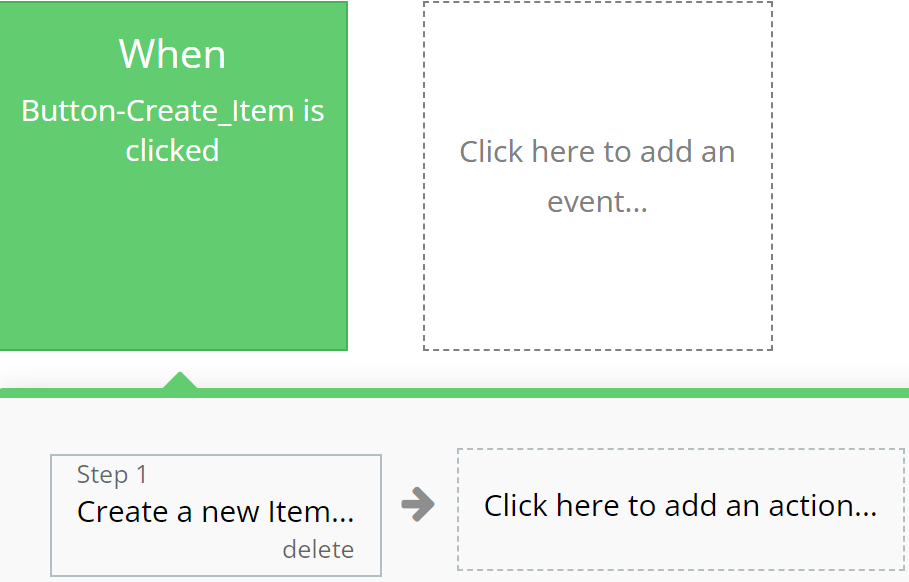
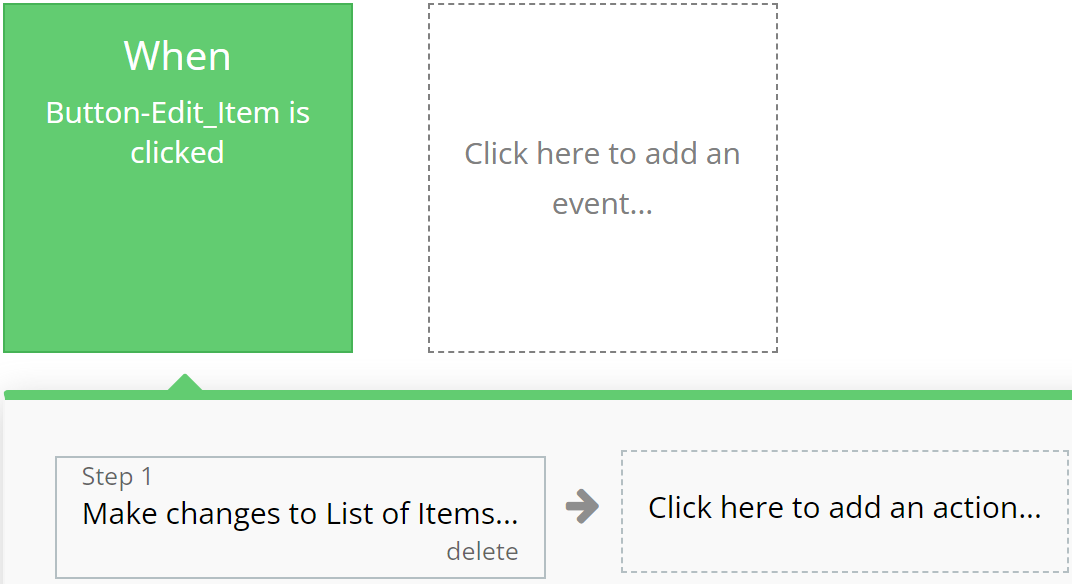
### **Green**

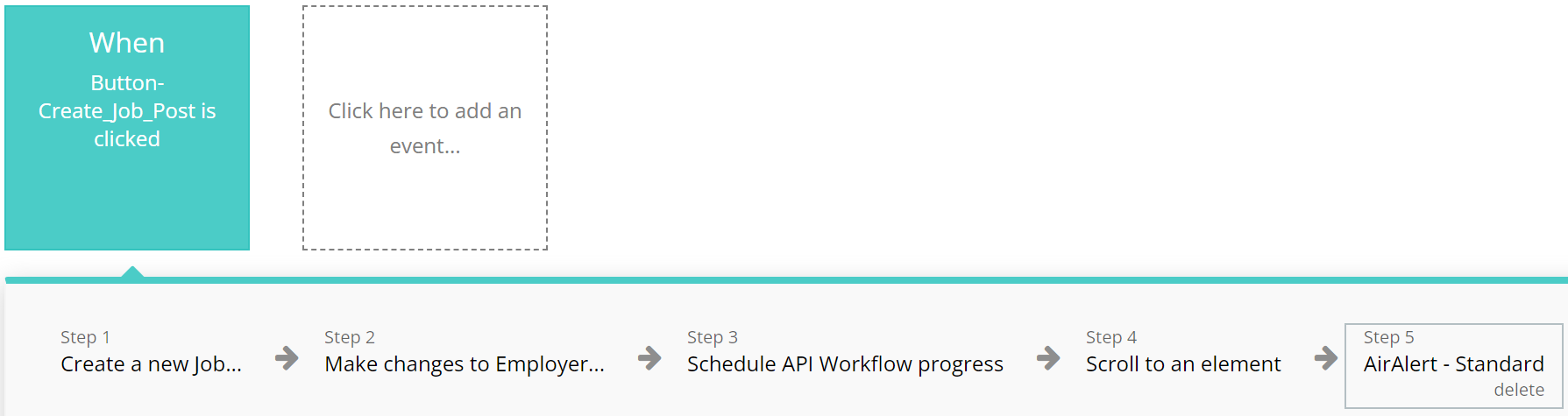
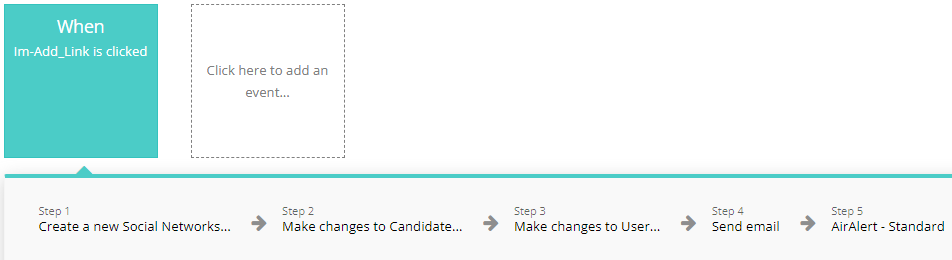
Emphasizes actions related to creating or modifying records in the database, indicating successful operation completion.

**For example:**

{% tabs %}
{% tab title="Example 1" %}

<figure><img src="https://content.gitbook.com/content/INotXGCaED1WuGcSU3ln/blobs/xYLoskPqPEPZPblxSklK/exmp%201.svg" alt=""><figcaption></figcaption></figure>
{% endtab %}

{% tab title="Example 2" %}

<figure><img src="https://content.gitbook.com/content/INotXGCaED1WuGcSU3ln/blobs/Pi208eclSLtWwRQwi0Tc/exmp%202.svg" alt=""><figcaption></figcaption></figure>
{% endtab %}
{% endtabs %}

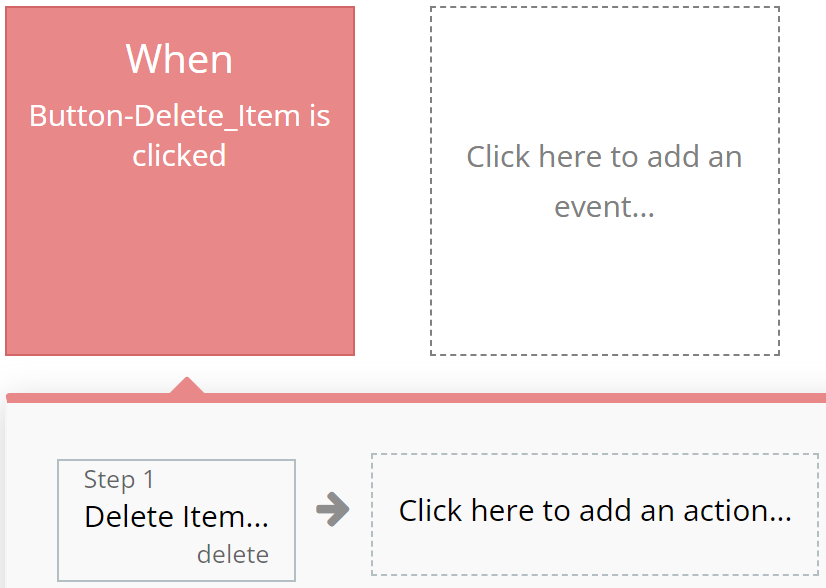
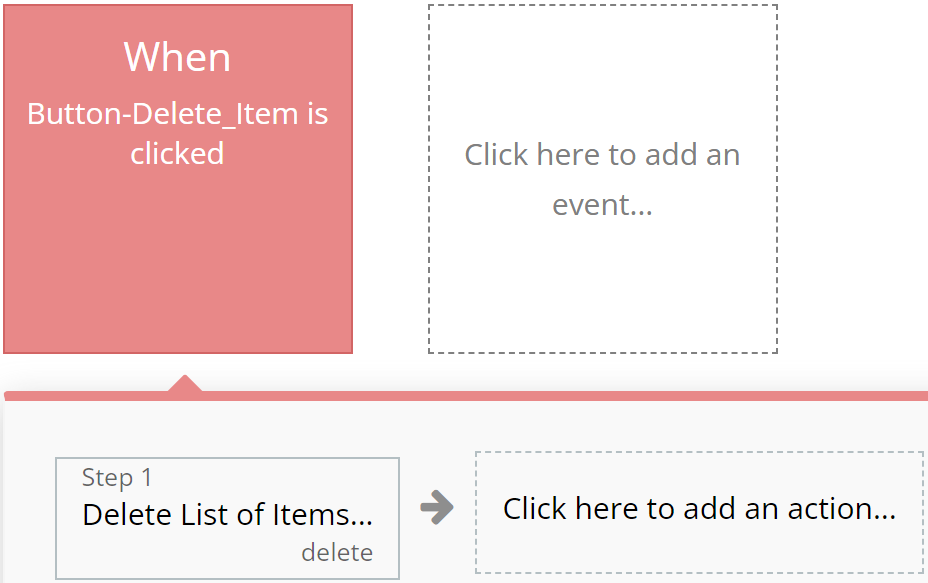
### **Red**

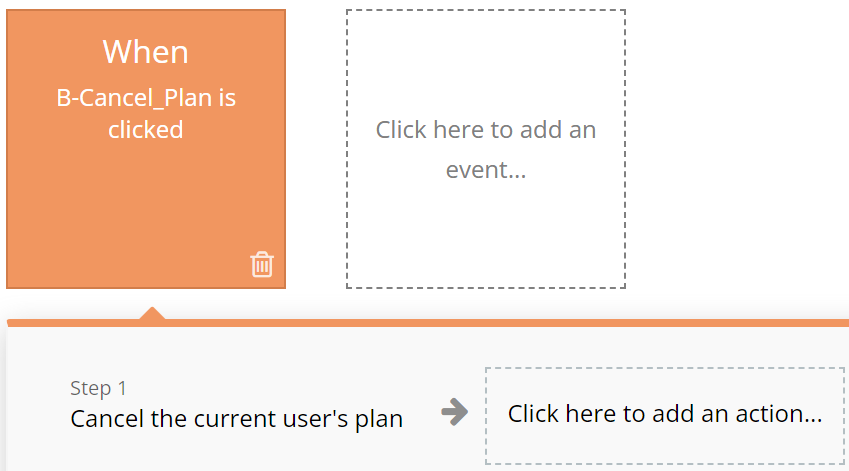
Designated for actions involving deletion or resetting of values, aiding users in quickly identifying them.

**For example:**

{% tabs %}
{% tab title="Example 1" %}

<figure><img src="https://content.gitbook.com/content/INotXGCaED1WuGcSU3ln/blobs/m4wvyRxHw3bF4jDjnN9v/exmp%203.svg" alt=""><figcaption></figcaption></figure>
{% endtab %}

{% tab title="Example 2" %}

<figure><img src="https://content.gitbook.com/content/INotXGCaED1WuGcSU3ln/blobs/kVPjCUKnM20Fs7rgeMwr/exmp%204.svg" alt=""><figcaption></figcaption></figure>
{% endtab %}
{% endtabs %}

### **Blue**

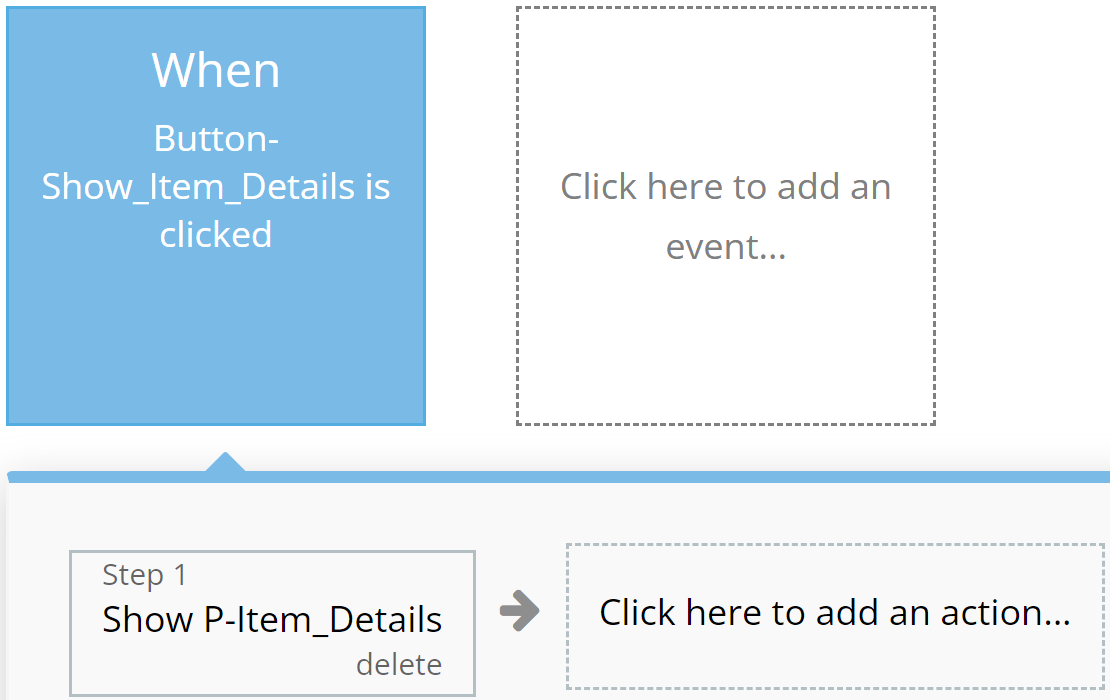
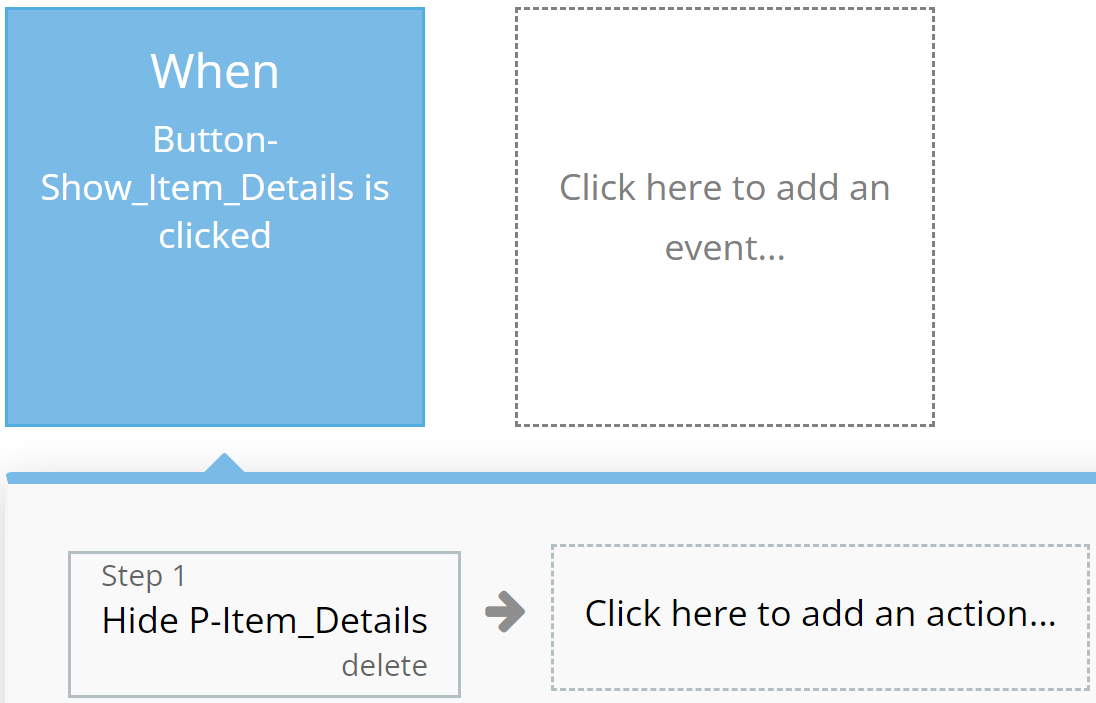
Reserved for actions that do not impact application resources, such as opening or closing pop-up windows.

**For example:**

{% tabs %}
{% tab title="Example 1" %}

<figure><img src="https://content.gitbook.com/content/INotXGCaED1WuGcSU3ln/blobs/TiC3TBlHbVnN4McWU8Ec/exmp%205.svg" alt=""><figcaption></figcaption></figure>
{% endtab %}

{% tab title="Example 2" %}

<figure><img src="https://content.gitbook.com/content/INotXGCaED1WuGcSU3ln/blobs/pJdzHiAmACNLkjNB5Xt8/exmp%206.svg" alt=""><figcaption></figcaption></figure>
{% endtab %}
{% endtabs %}

### **Orange**

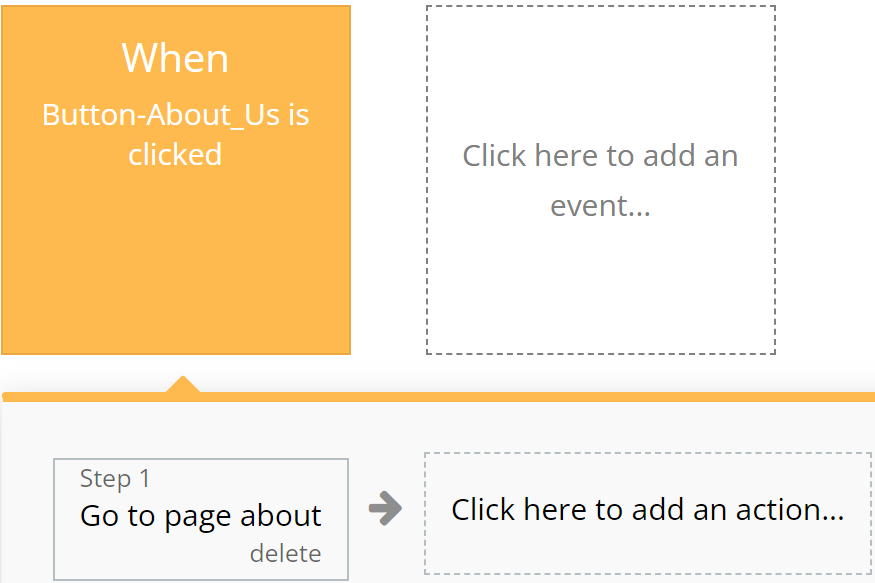
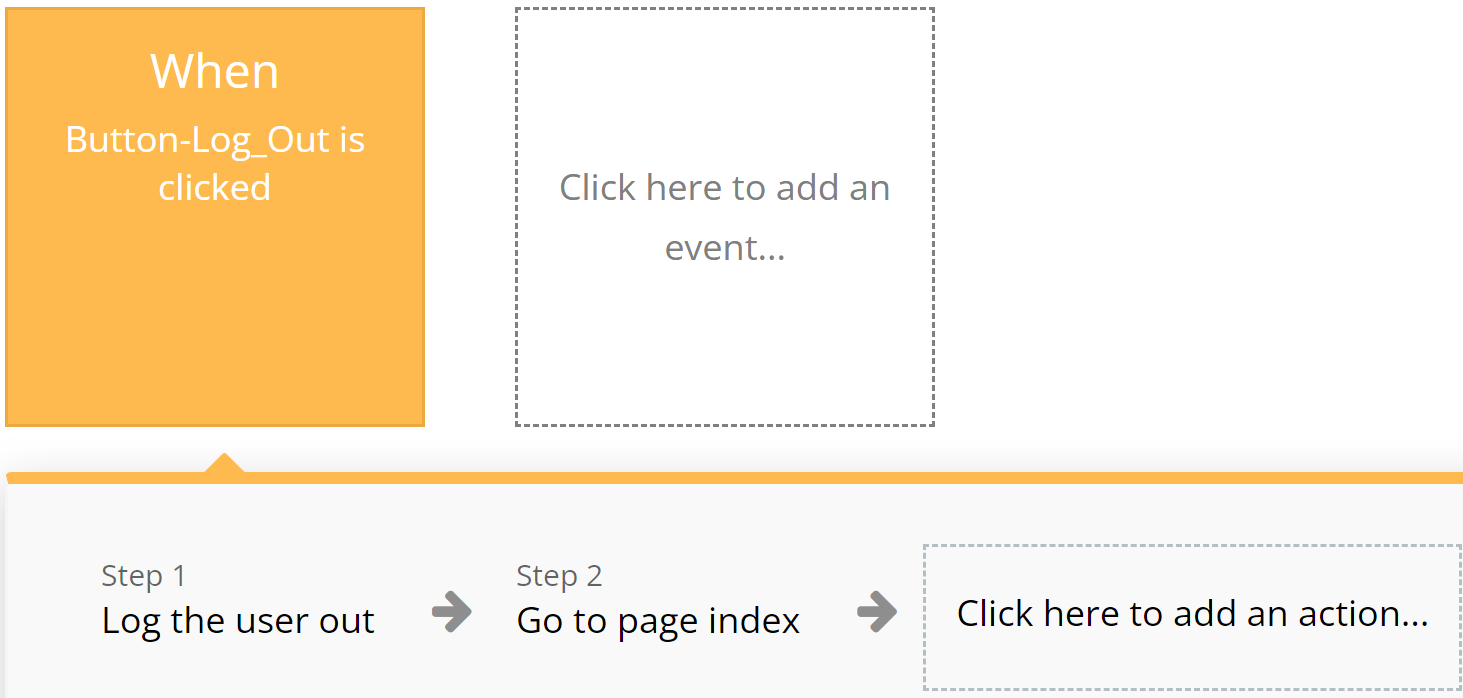
Used for actions related to app navigation, providing ease of orientation within the interface.

**For example:**

{% tabs %}
{% tab title="Example 1" %}

<figure><img src="https://content.gitbook.com/content/INotXGCaED1WuGcSU3ln/blobs/9ixseOMcP7ls6CNRNgIk/exmp%207.svg" alt=""><figcaption></figcaption></figure>
{% endtab %}

{% tab title="Example 2" %}

<figure><img src="https://content.gitbook.com/content/INotXGCaED1WuGcSU3ln/blobs/hXwwktiLs18RnzBg5EJA/exmp%208.svg" alt=""><figcaption></figcaption></figure>
{% endtab %}
{% endtabs %}

### **Brown**

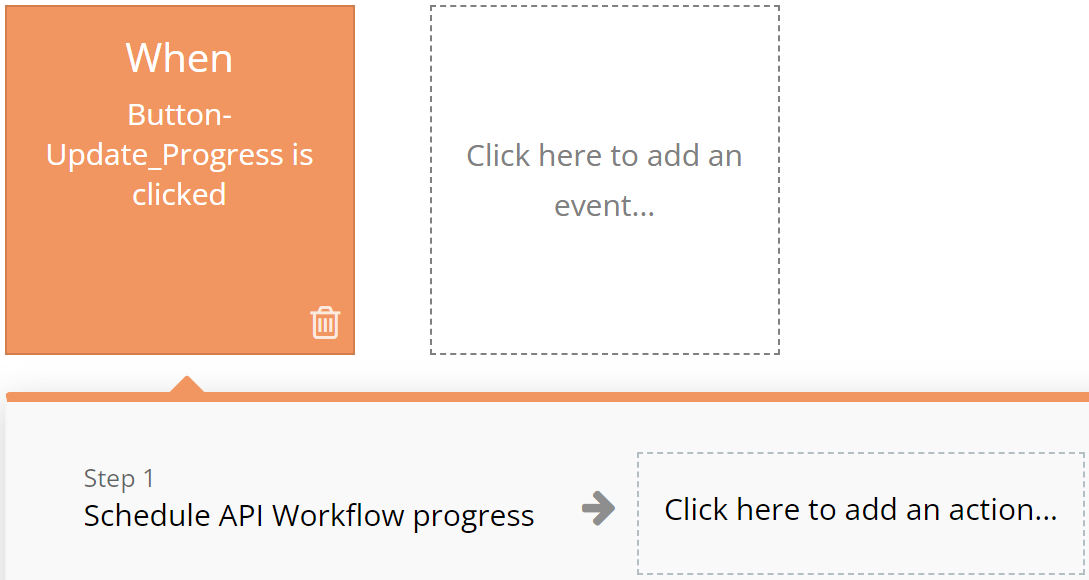
&#x20;Utilized for custom workflows and API work, highlighting these actions among others.

**For example:**

{% tabs %}
{% tab title="Example 1" %}

<figure><img src="https://content.gitbook.com/content/INotXGCaED1WuGcSU3ln/blobs/RVgHAkw60iIQ6yJh7jj3/exmp%209.svg" alt=""><figcaption></figcaption></figure>
{% endtab %}

{% tab title="Example 2" %}

<figure><img src="https://content.gitbook.com/content/INotXGCaED1WuGcSU3ln/blobs/5grmV8WkMvUFmBwIzRDu/exmp%2010.svg" alt=""><figcaption></figcaption></figure>
{% endtab %}
{% endtabs %}

### **Purple**

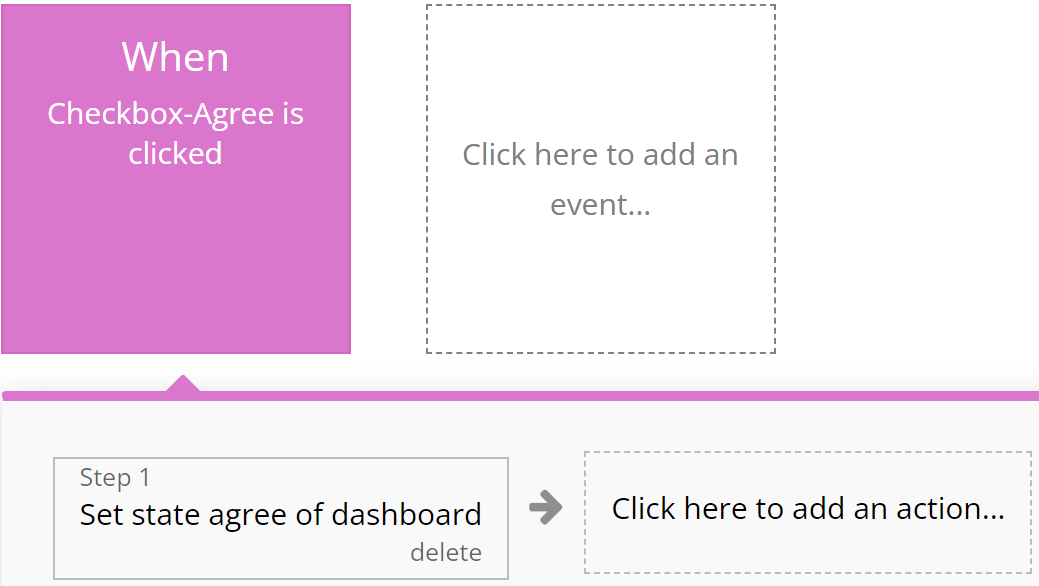
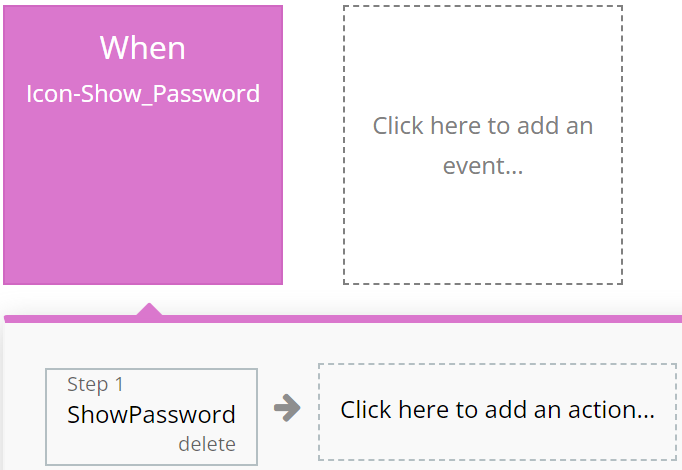
Left to the developer's discretion for assigning color to actions as they see fit.

**For example:**

{% tabs %}
{% tab title="Example 1" %}

<figure><img src="https://content.gitbook.com/content/INotXGCaED1WuGcSU3ln/blobs/65EXaSxZvvRtAQ9ufxOT/purple%201.svg" alt=""><figcaption></figcaption></figure>
{% endtab %}

{% tab title="Example 2" %}

<figure><img src="https://content.gitbook.com/content/INotXGCaED1WuGcSU3ln/blobs/wIZbrg1cEeCdQYMHXNOo/purple%202.svg" alt=""><figcaption></figcaption></figure>
{% endtab %}
{% endtabs %}

### **Cyan**

&#x20;**I**ntended for actions involving the use of Custom Events, ensuring ease of perception for complex operations.

**For example:**

{% tabs %}
{% tab title="Example 1" %}

<figure><img src="https://content.gitbook.com/content/INotXGCaED1WuGcSU3ln/blobs/l54CXbrnZFcSinwtW6pM/cyan%201.svg" alt=""><figcaption></figcaption></figure>
{% endtab %}

{% tab title="Example 2" %}

<figure><img src="https://content.gitbook.com/content/INotXGCaED1WuGcSU3ln/blobs/tSgGJUK2dkDJL9Dd4jlN/cyan%202.svg" alt=""><figcaption></figcaption></figure>
{% endtab %}
{% endtabs %}

### **Grey**

Employed for all other actions not covered by other colors, aiding in making the interface clear and balanced.

For example:

{% tabs %}
{% tab title="Example 1" %}

<figure><img src="https://content.gitbook.com/content/INotXGCaED1WuGcSU3ln/blobs/ehdJjLiWm8ieg30ej2Xt/grey%201.svg" alt="" width="352"><figcaption></figcaption></figure>
{% endtab %}
{% endtabs %}

{% hint style="warning" %}
These standards are purely recommendations. Possible discrepancies do not affect the functionality of the application.
{% endhint %}

***

## Page

\ <mark style="color:orange;">**Index:**</mark> Explore our landing page for insights on the template, featuring descriptions, about us, our restaurants, prices, reviews, our app and how to contact us.&#x20;

***

<figure><img src="https://content.gitbook.com/content/INotXGCaED1WuGcSU3ln/blobs/f9f0UvE5nHqQZUP447k5/Logo-Appassion.png" alt=""><figcaption></figcaption></figure>

The template is available in its current form, however, further alterations can be negotiated.&#x20;

Don't hesitate to reach out to us with any questions, and we'll gladly explore options to accommodate your concepts – Visit us at [<mark style="color:orange;">https://appassion.io/</mark>](https://appassion.io/) or email us at <mark style="color:orange;"><dev@appassion.io></mark>

<mark style="color:orange;">**We are always at your service through:**</mark> [Upwork](https://www.upwork.com/agencies/1472948949083369472/), [Clutch](https://clutch.co/profile/appassion#highlights). \ <br>