> For the complete documentation index, see [llms.txt](https://appassion.gitbook.io/dely-food/llms.txt). Markdown versions of documentation pages are available by appending `.md` to page URLs; this page is available as [Markdown](https://appassion.gitbook.io/dely-food/dely-food-fooddelivery-marketplace.md).
# Dely Food - FoodDelivery Marketplace
FoodDelivery marketplace, featuring restaurant and buyer user roles, product management, basic stats, fully responsive
***
## Intro
## Links
🖥️[ Preview link](https://fooddeliverynew.bubbleapps.io/)
🌐 [Template page on Bubble Marketplace](https://bubble.io/template/fooddelivery-marketplace-1661187972411x616166950208012300)
***
## Screenshots
Index page
Features
Dishes page
About us
Admins dashboard
Profile page
***
## Template details
DalyFood is a template that is great for those who want to open their own marketplace for food sales and delivery. In this case, we got a universal template with which you can start your own business. This is a #nocode template that allows the administrator to publish food categories and positions, and the user can choose the food that she\he likes the most, add it to the cart and arrange food delivery
DalyFood template features the following:
✅ Responsive design
✅ Admin dashboard
✅ Create and edit products from admin panel
✅ Possibility to add extra options to available products
✅ Quick and flexible product search
✅ Search across all product categories
✅ Sort and filter using multiple criteria
✅ The function of viewing order history in admin dashboard
This template is sold "as is" but if there are any critical bugs, feel free to reach out. Our team will try to fix them ASAP.\
\
We tried to keep all the workflows and design architecture simple for beginner-intermediate users to use and adjust. However, we recommend having at least moderate experience with Bubble to be able to fully use and edit the app’s backend.\
\
If you need any assistance to customize this template for your personal or business project, feel free to reach out to our team via . We are always there to help build new products and mobile/web applications.\
\
We hope this template would become a great starting point for your project.
{% hint style="warning" %}
***Removing the banner***
***1. Open the app in Bubble editor***
***2. Go to settings -> SEO/Metatags***
***3. Remove the content of "Script in the body"***
{% endhint %}
***
## User flows
**Main user flow:**
-> Product search -> View product description -> Choice of additional options -> Add product to cart -> Editing a shopping cart -> Order delivery
***
## Key features
MULTISELECT EDITOR
true
DROPDOWN RICH TEXT
false
RESTAURANT LISTINGS
true
SECURE PAYMENT OPTIONS
true
ORDER CUSTOMIZATION
true
RATINGS AND REVIEWS
false
## Workflows
### Primary colors and their purposes
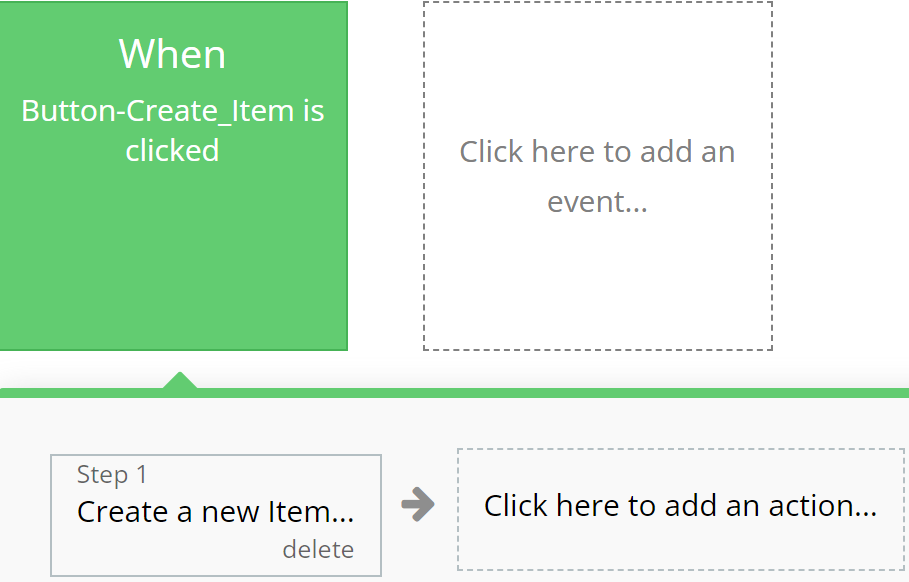
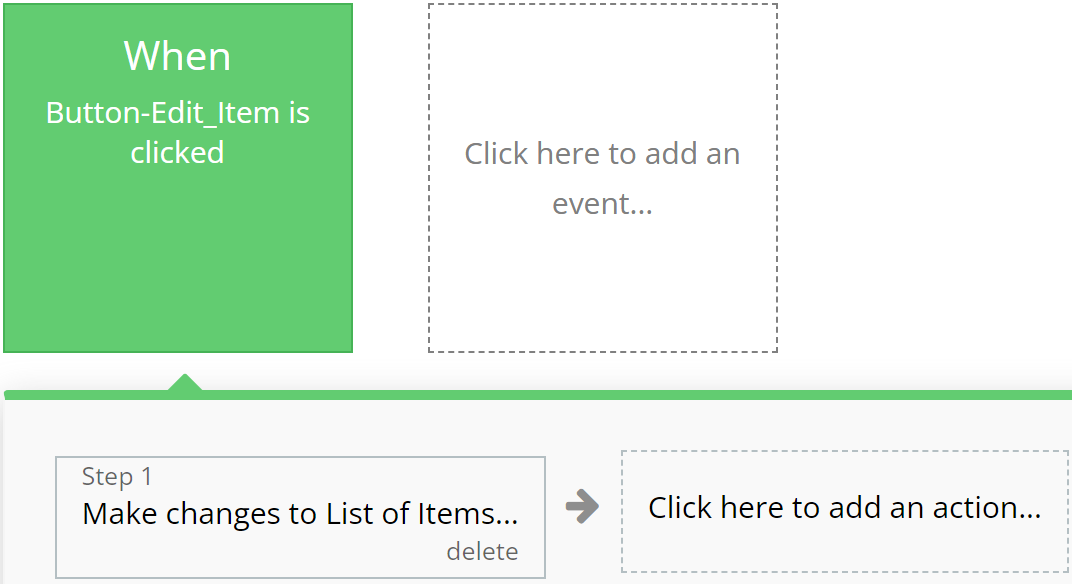
### **Green**
Emphasizes actions related to creating or modifying records in the database, indicating successful operation completion.
**For example:**
{% tabs %}
{% tab title="Example 1" %}
{% endtab %}
{% tab title="Example 2" %}
{% endtab %}
{% endtabs %}
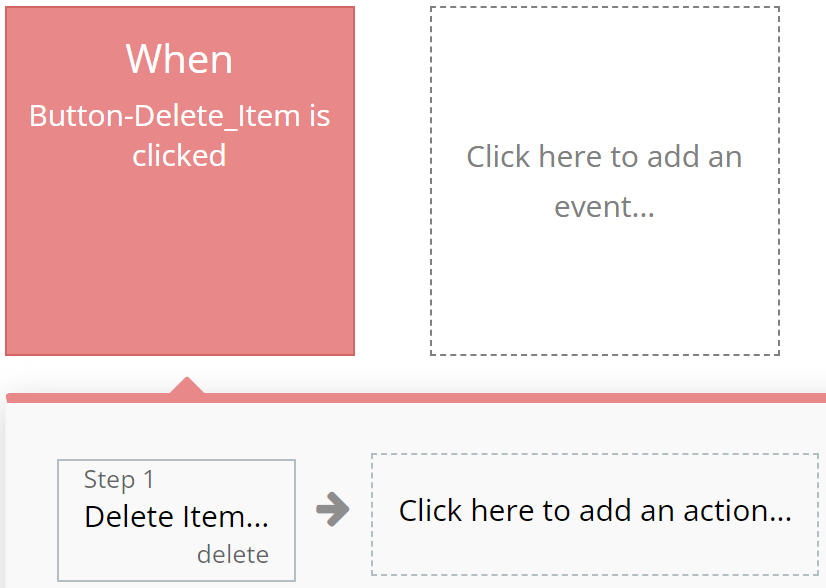
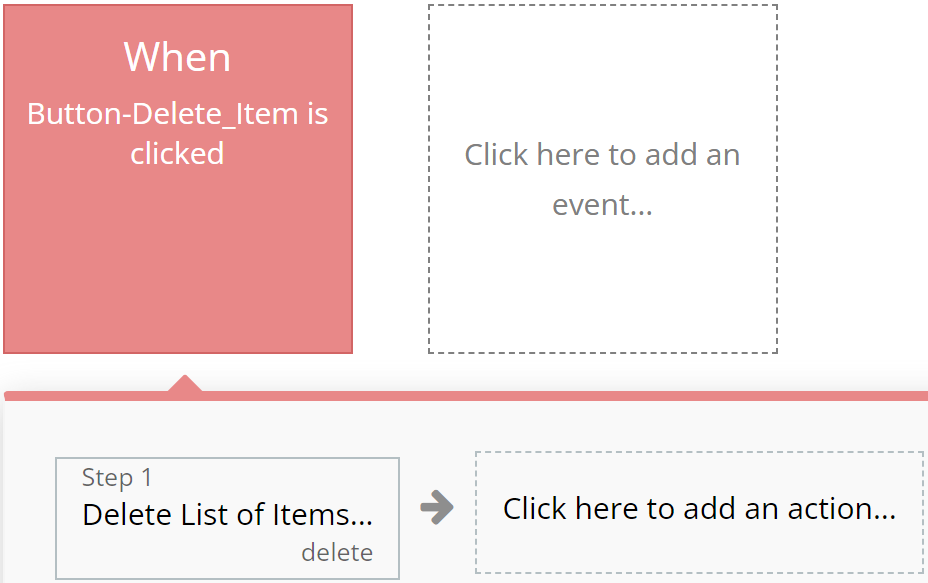
### **Red**
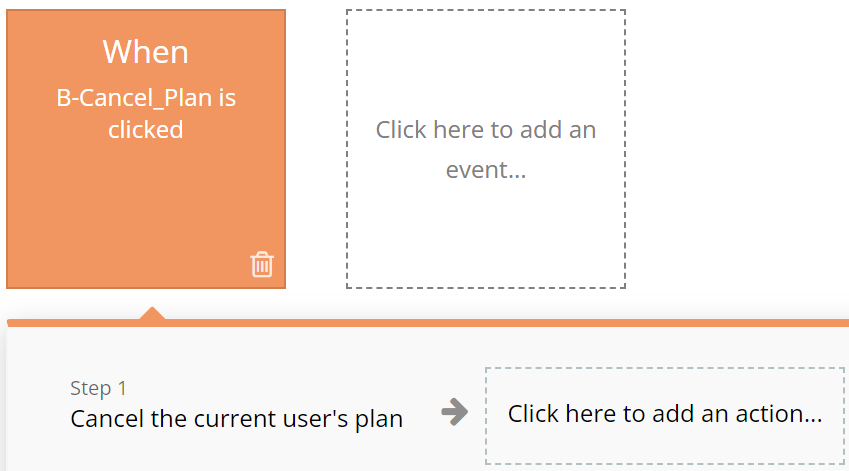
Designated for actions involving deletion or resetting of values, aiding users in quickly identifying them.
**For example:**
{% tabs %}
{% tab title="Example 1" %}
{% endtab %}
{% tab title="Example 2" %}
{% endtab %}
{% endtabs %}
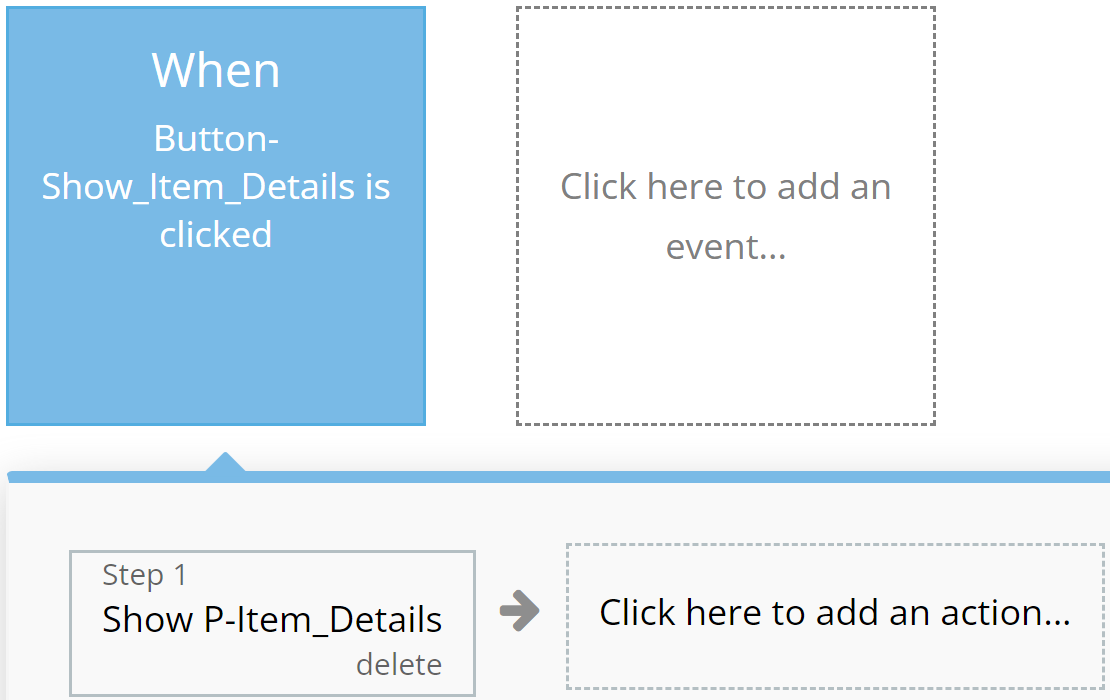
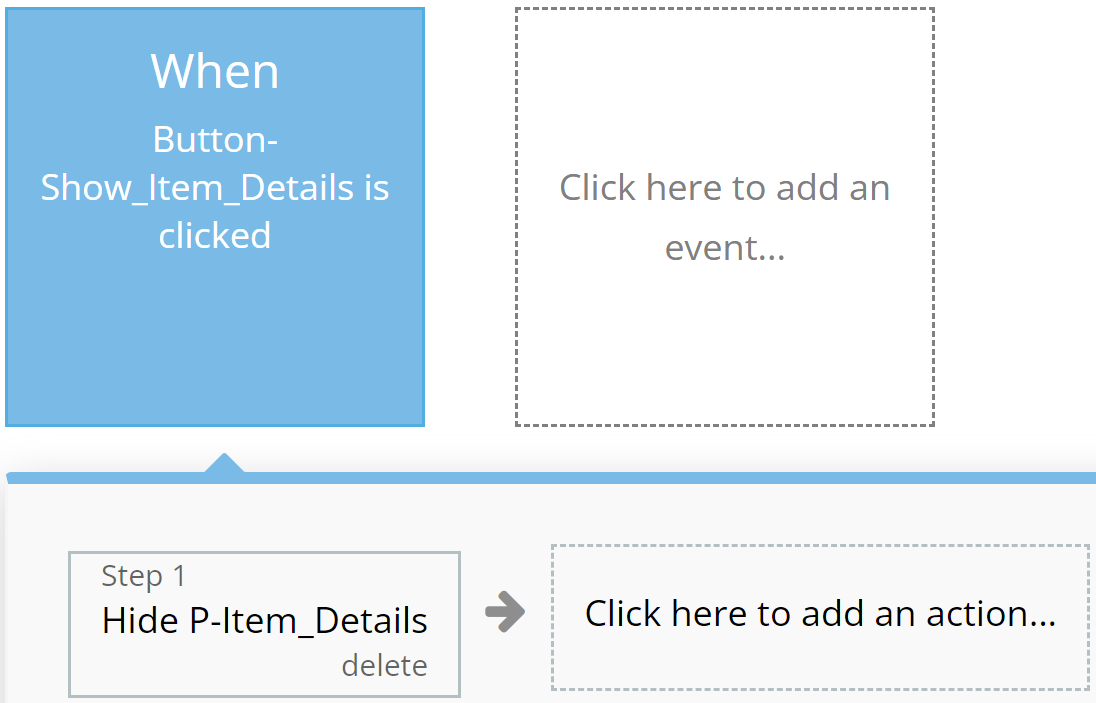
### **Blue**
Reserved for actions that do not impact application resources, such as opening or closing pop-up windows.
**For example:**
{% tabs %}
{% tab title="Example 1" %}
{% endtab %}
{% tab title="Example 2" %}
{% endtab %}
{% endtabs %}
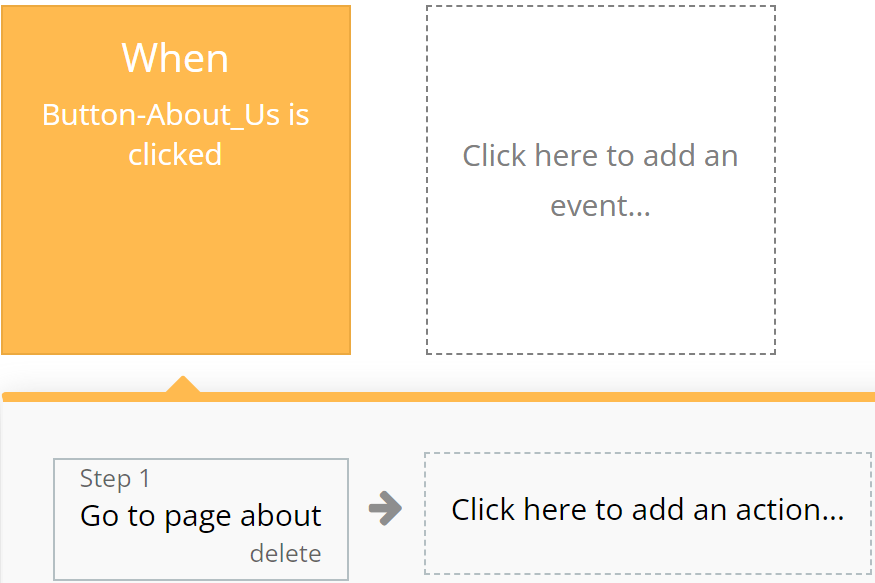
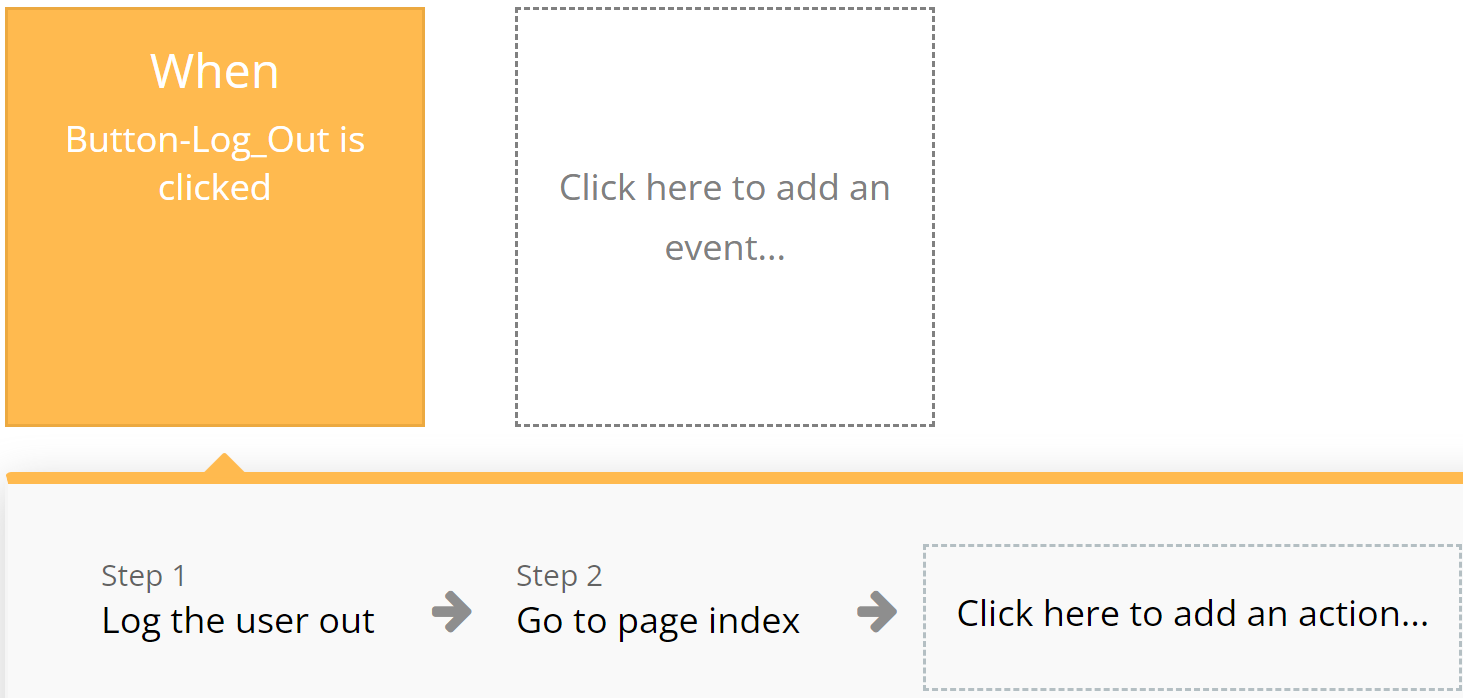
### **Orange**
Used for actions related to app navigation, providing ease of orientation within the interface.
**For example:**
{% tabs %}
{% tab title="Example 1" %}
{% endtab %}
{% tab title="Example 2" %}
{% endtab %}
{% endtabs %}
### **Brown**
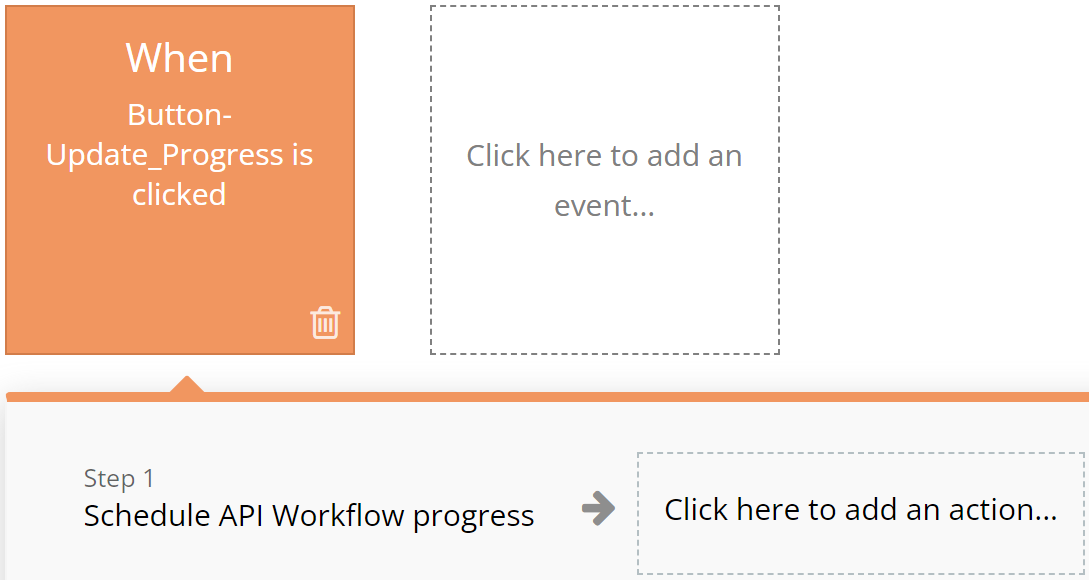
Utilized for custom workflows and API work, highlighting these actions among others.
**For example:**
{% tabs %}
{% tab title="Example 1" %}
{% endtab %}
{% tab title="Example 2" %}
{% endtab %}
{% endtabs %}
### **Purple**
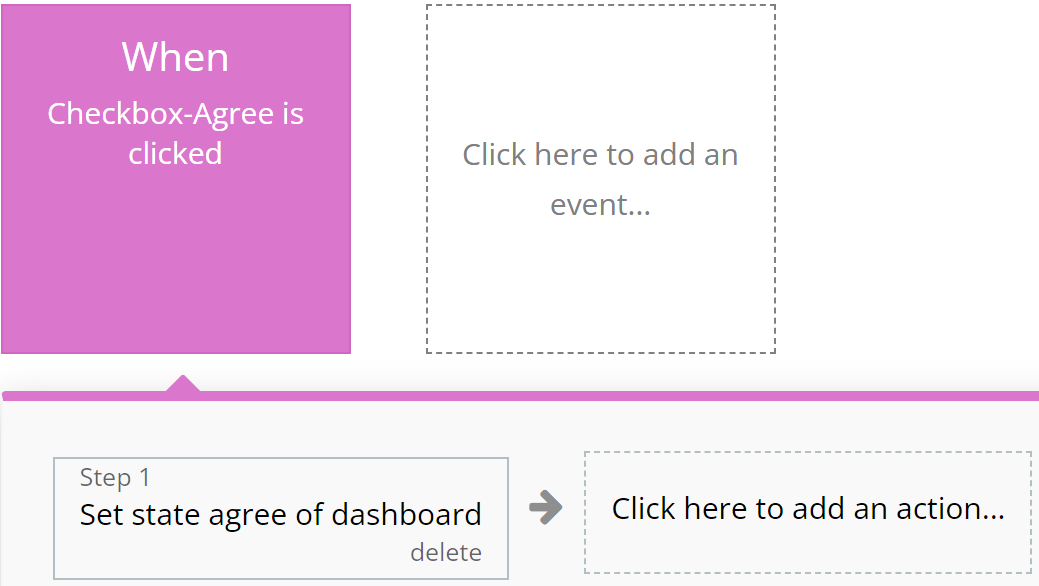
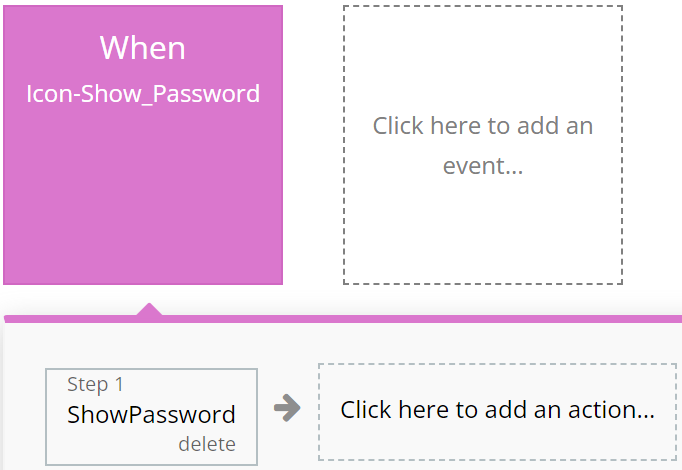
Left to the developer's discretion for assigning color to actions as they see fit.
**For example:**
{% tabs %}
{% tab title="Example 1" %}
{% endtab %}
{% tab title="Example 2" %}
{% endtab %}
{% endtabs %}
### **Cyan**
**I**ntended for actions involving the use of Custom Events, ensuring ease of perception for complex operations.
**For example:**
{% tabs %}
{% tab title="Example 1" %}
{% endtab %}
{% tab title="Example 2" %}
{% endtab %}
{% endtabs %}
### **Grey**
Employed for all other actions not covered by other colors, aiding in making the interface clear and balanced.
For example:
{% tabs %}
{% tab title="Example 1" %}
{% endtab %}
{% endtabs %}
{% hint style="warning" %}
These standards are purely recommendations. Possible discrepancies do not affect the functionality of the application.
{% endhint %}
***
## Pages
*Below, you will find a list of all the pages available on this platform, along with a brief description of their functionality.*
\ **Index:** Explore our landing page for insights on the template, featuring descriptions, recommended food, our dishes and other information.
**Docs:** Access all necessary platform documentation, including Privacy Policy, Terms & Conditions, and Frequently Asked Questions (FAQ).
**Dashboard:** An admin's dashboard providing essential and up-to-date information.
* The "General" tab compiles information about latest sales and dishes, taxes and discounts.
* The "Products" tab compiles information about all products on site such as name, category, description, extra, price, image and offer to admins possibility to Delete or view all information about product.
* The "Orders" tab compiles information about all orders such as order number, date, address, selected dishes, delivery description, price and offer to admins possibility to delete or view all information about order.
* The "Other" tab compiles information about all FAQ titles and descriptions where admins can edit all information and carousel image where admins can upload or edit some image.
**Reset Password:** Effortlessly reset your password and receive updated login credentials for seamless access.
**Checkout:** This page contains all the necessary information and functionality so that the user, after having chosen all the necessary products, can make a checkout to order the products at home.
**Profile:** This page offers users the possibility to check their personal data and is the necessary functionality to allow the user to modify them.
**About Us:** Exploring this page the user can find out more interesting and useful information about us.
**Menu:** This page displays all the products on the site with a little information about them such as name, price, image and a short description to make it easier for the user to choose the desired product and at the top of the page there is a search where the user can search for the product by name or choose a specific dish.
***
## Reusable elements
1. **Footer** - a section at the bottom of a web page containing additional information such as contacts and links. Used in the following pages: about, companies, company\_view, contact\_us, docs, index, job\_view, jobs, resume\_view, resumes.
2. **Header** - the top part of a web page containing the logo, application name, navigation elements, and other important components. Found on all application pages.
3. **Download on the app**- Contains information on how and where users can download our phone app.
4. **Signup / Login Popup**- Contains popups that appear when the user wants to log in or register on the site and if they want to reset their password.
***
## Data Types
### Offers
This data type is designed for storing information related to Offers.
| Field name | Type | Notes |
| ---------- | ---------------- | ------------ |
| `Image` | `List of Images` | Offer images |
### Order
This data type is designed for storing information related to Order.
| Field name | Type | Notes |
| ------------------ | -------------------------------------------------------------------------------------------- | ---------------------- |
| `Address` | `Text` | Order address |
| `Delivery Details` | `Text` | Order delivery details |
| `Delivery Type` |
| Order delivery type |
| `Full Name` | `Text` | Order full name |
| `Location` | `Text` | Order location |
| `Order ID` | `Number` | Order id number |
| `Ordered Products` | `List of` [`Ordered Productses`](#ordered-products) | Order products |
| `Owner` | [`User`](#user) | Order owner name |
| `Payment Method` |
| Order status |
| `Total Price` | `Number` | Order total price |
| `User` | [`User`](#user) | Order user name |
### Ordered Products
This data type is designed for storing information related to Ordered Products.
| Field name | Type | Notes |
| ---------- | ----------------------------------- | ------------------------- |
| `Order` | [`Order`](#order) | Order number |
| `Price` | `Number` | Ordered products price |
| `Product` | [`Product`](#produc) | Ordered products |
| `Quantity` | `Number` | Ordered products quantity |
| `Size` | [`Product Size`](#product-size) | Ordered products size |
| `Toppings` | `List of` [`Toppingses`](#toppings) | Ordered products toppings |
### Product
This data type is designed for storing information related to Product.
| Field name | Type | Notes |
| ------------- | -------------------------------------------------------------------------------- | ------------------- |
| `Category` |
| Taxes & Discounts category |
| `Discount` | `Number` | Discount |
| `Fees` | `Number` | Taxes & Discounts fees |
| `Order` | [`Order`](#order) | Taxes & Discounts order |
| `Taxes` | `Number` | Taxes |
### Toppings
This data type is designed for storing information related to Toppings.
| Field name | Type | Notes |
| ---------- | -------- | -------------- |
| `Name` | `Text` | Toppings name |
| `Price` | `Number` | Toppings price |
### User
This data type is designed for storing information related to User.
| Field name | Type | Notes |
| --------------- | ----------------- | ------------------ |
| `Address` | `Text` | User address |
| `Admin` | `Yes/No` | User admins stauts |
| `City` | `Text` | User city name |
| `Current Order` | [`Order`](#order) | User current order |
| `Demo` | `Yes/No` | User demo status |
| `Name` | `Text` | User name |
| `Phone` | `Number` | User phone number |
| `Email` | `Text` | User email |
### FAQ
This data type is designed for storing information related to FAQ.
| Field name | Type | Notes |
| ------------- | ------ | --------------- |
| `Description` | `Text` | FAQ description |
| `Title` | `Text` | FAQ title |
***
## Option sets
#### Category
* All
* Sushi
* Pasta
* Burgers
* Pizza
* Desserts
#### Delivery Type
* Standard
* Priority
#### Order Status
* Open
* Closed
#### Payment Method
* Cash
* Credit Card
#### Sort
* Sort by name
* Price low to high
* Price high to low
***
The template is available in its current form, however, further alterations can be negotiated.
Don't hesitate to reach out to us with any questions, and we'll gladly explore options to accommodate your concepts – Visit us at [https://appassion.io/](https://appassion.io/) or email us at
**We are always at your service through:** [Upwork](< https://www.upwork.com/agencies/1472948949083369472/>), [Clutch](https://clutch.co/profile/appassion#highlights). \