***
## Template details
Introducing "Kids Toys Marketplace" – the ultimate solution for launching your startup or a similar marketplace dedicated to buying and selling children's toys. Our platform, built on the powerful bubble.io, is designed to cater to the needs of both administrators and regular users, offering a seamless experience for all.
For Admin:
* Effortless Product Management: Admin have the power to create and publish toy listings with ease. Add images, descriptions, prices, and more, all from your personalized dashboard.
* Insightful Analytics: Stay informed about the performance of your marketplace with detailed statistics on purchases, order data, and user information. Monitor the growth of your platform and make data-driven decisions.
For Regular Users:
* Easy Registration: Users can quickly create accounts to explore the world of children's toys. Browse a wide array of products and find that perfect toy for your little ones.
* User-Friendly Shopping: Add items to your cart, choose your preferred delivery and payment options, and seamlessly complete your order. Your convenience is our priority.
* Purchase History: Keep track of your buying history in your personalized user dashboard. See what you've ordered and relive the joy of past purchases.
Our dedicated Appassion team has invested extensive time and effort into crafting this marketplace template. We are confident that you will find it not only visually appealing but also incredibly user-friendly. Whether you're looking to launch a thriving children's toy marketplace or simply enhance your startup, "Kids Toys" has got you covered. We hope you enjoy using this template as much as we enjoyed creating it. Happy selling and shopping!
Kids Toys template features the following:
✅ Responsive design
✅ Signup/Login
✅ Demo User/Admin
✅ User dashboard
✅ Admin dashboard
✅ Add and edit products
✅ Statistics in the admin dashboard
✅ Opportunity to leave a review
✅ Search products by category
This template is sold "as is" but if there are any critical bugs, feel free to reach out. Our team will try to fix them ASAP.\
\
We tried to keep all the workflows and design architecture simple for beginner-intermediate users to use and adjust. However, we recommend having at least moderate experience with Bubble to be able to fully use and edit the app’s backend.\
\
If you need any assistance to customize this template for your personal or business project, feel free to reach out to our team via . We are always there to help build new products and mobile/web applications.
Under the Standard license, this template can be used multiple times to create applications for you own use, personal or business, that you can monetize your application with paid users or advertising. You should not use this license to build apps for others.
The Developer license lets you build multiple applications based on this template for yourself and for others.\
\
We hope this template is a great starting point for your project.
{% hint style="warning" %}
***Removing the banner***
***1. Open the app in Bubble editor***
***2. Go to settings -> SEO/Metatags***
***3. Remove the content of "Script in the body"***
{% endhint %}
***
## User flows
Main user flow:
-> Sign up/Login; -> Products search; -> View products; -> Ability to leave review; -> View all purchase history in the personal dashboard.
***
## Key features
MULTISELECT DROPDOWN
true
RICH TEXT EDITOR
false
SEARCH AND FILTER OPTIONS
true
PRODUCT REVIEWS AND RATINGS
true
WISHLIST AND FAVORITES
true
EXTENSIVE TOY CATALOG
false
## Workflows
### Primary colors and their purposes
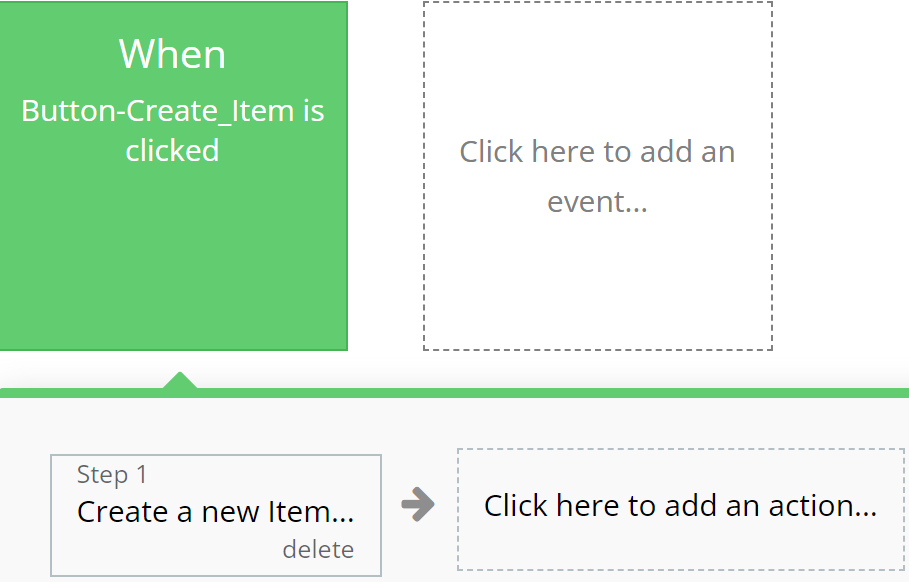
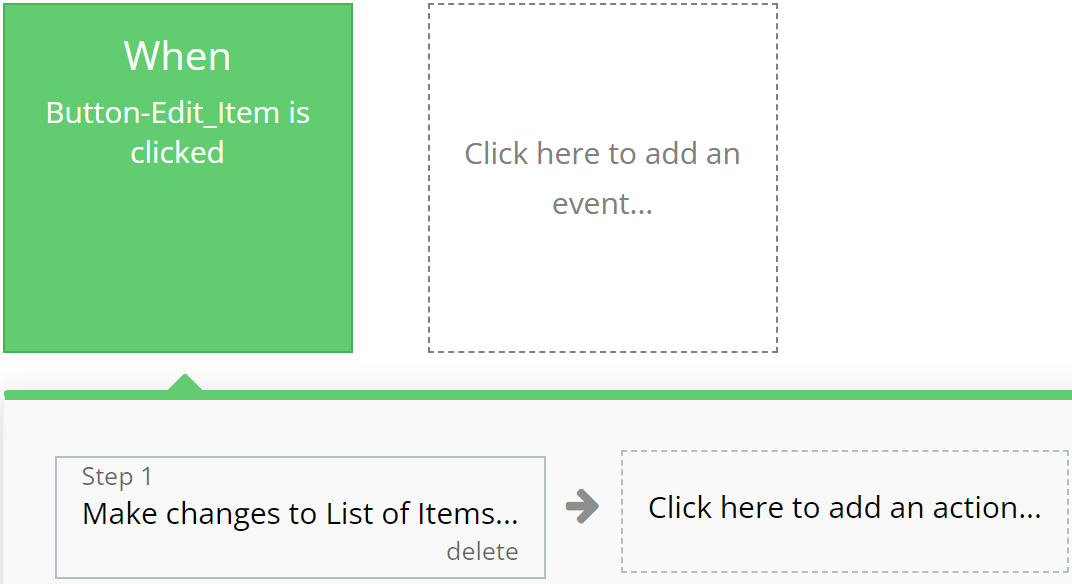
### **Green**
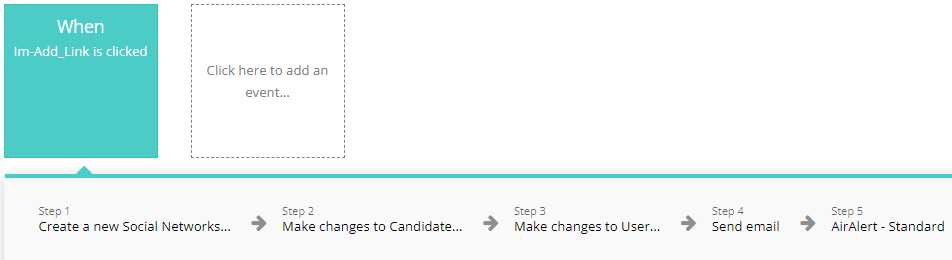
Emphasizes actions related to creating or modifying records in the database, indicating successful operation completion.
**For example:**
{% tabs %}
{% tab title="Example 1" %}
{% endtab %}
{% tab title="Example 2" %}
{% endtab %}
{% endtabs %}
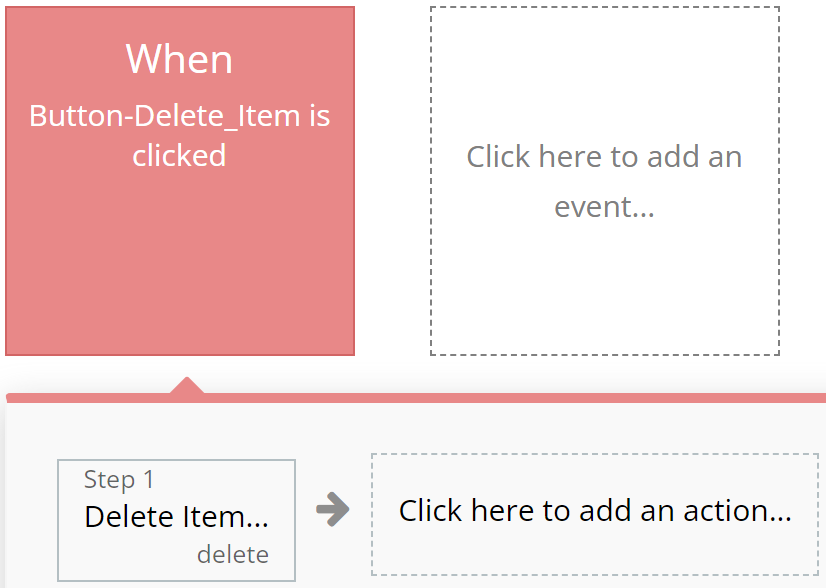
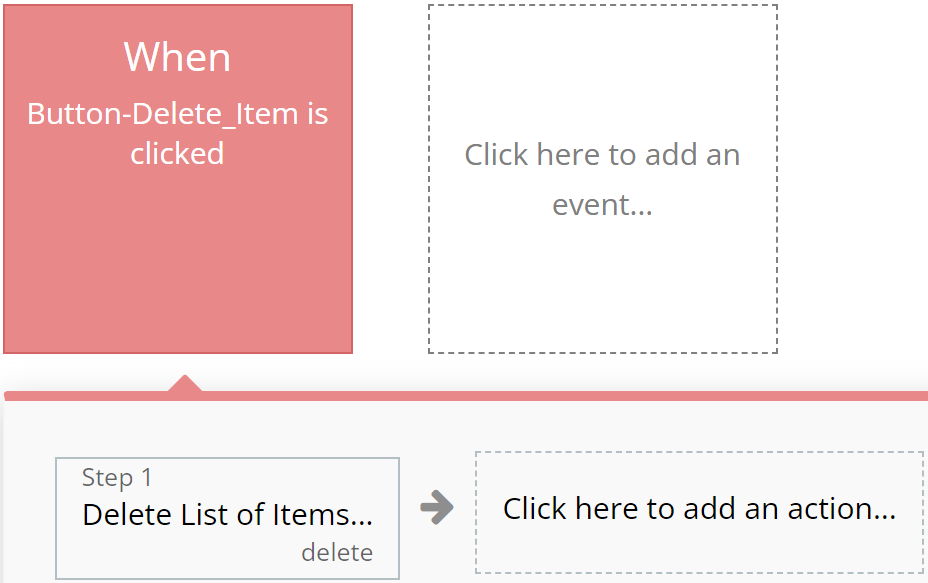
### **Red**
Designated for actions involving deletion or resetting of values, aiding users in quickly identifying them.
**For example:**
{% tabs %}
{% tab title="Example 1" %}
{% endtab %}
{% tab title="Example 2" %}
{% endtab %}
{% endtabs %}
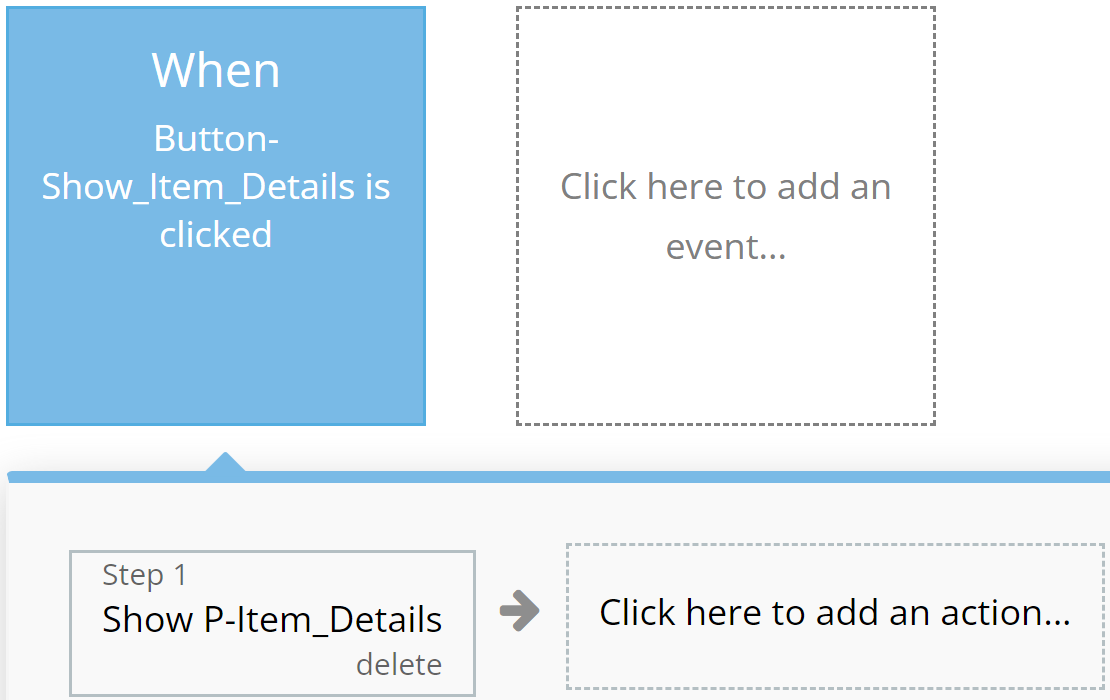
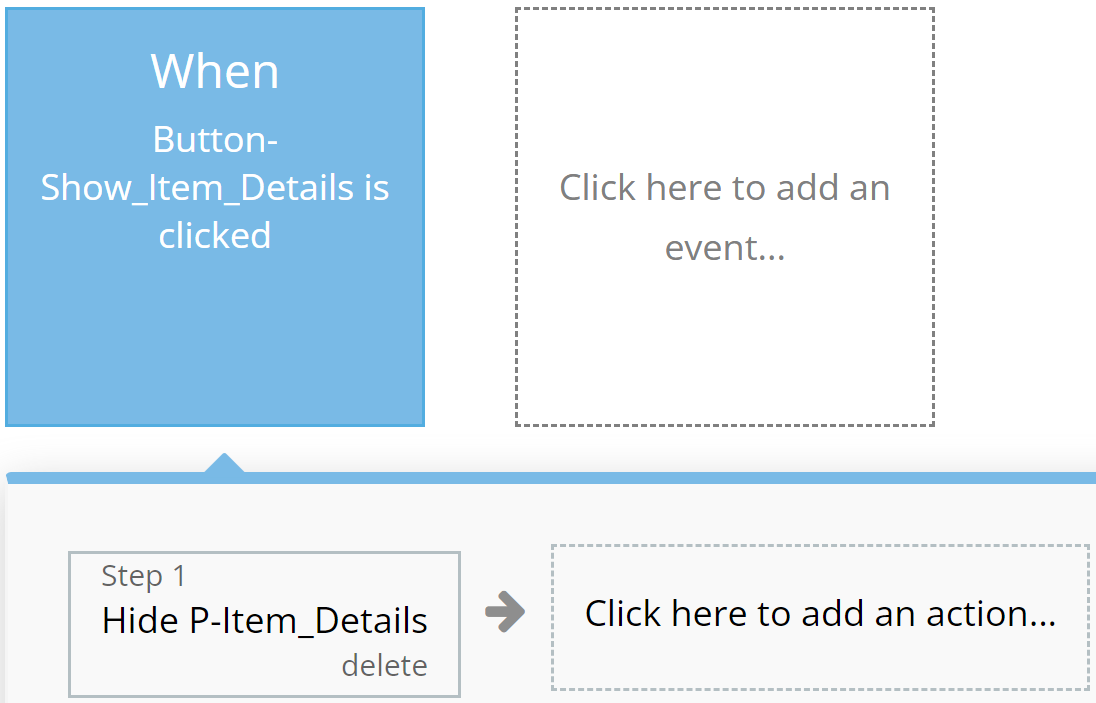
### **Blue**
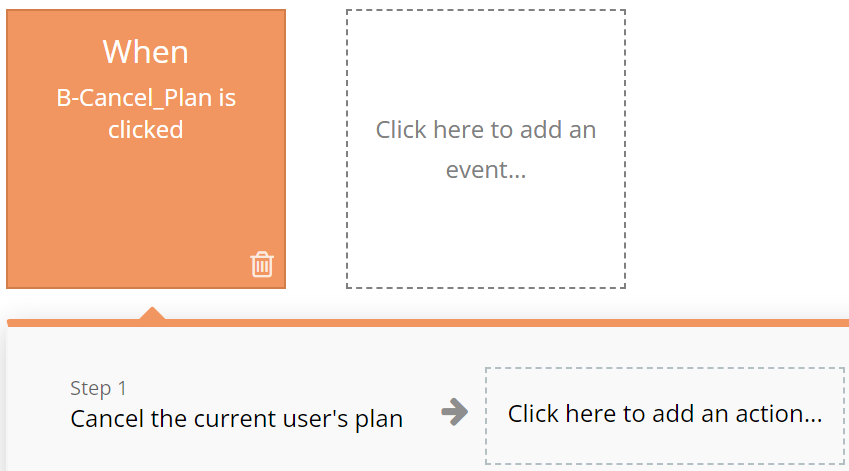
Reserved for actions that do not impact application resources, such as opening or closing pop-up windows.
**For example:**
{% tabs %}
{% tab title="Example 1" %}
{% endtab %}
{% tab title="Example 2" %}
{% endtab %}
{% endtabs %}
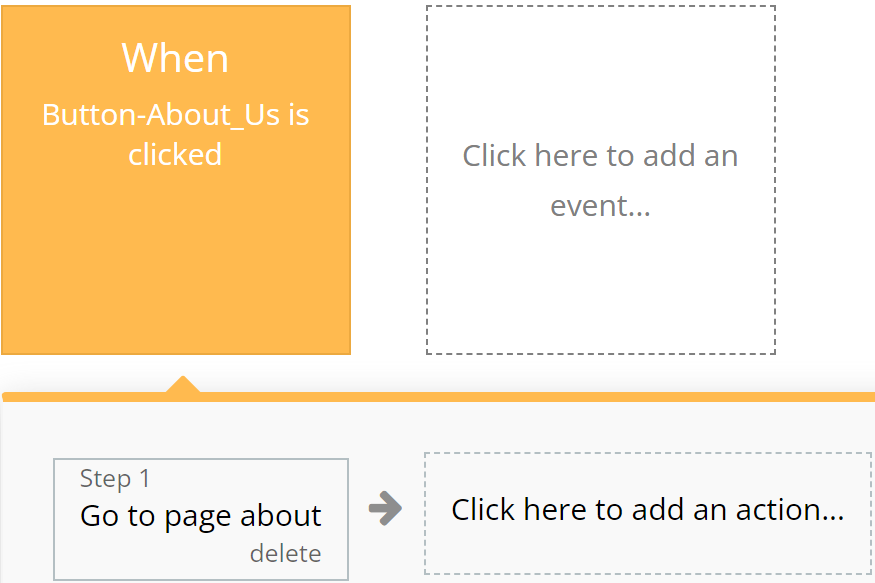
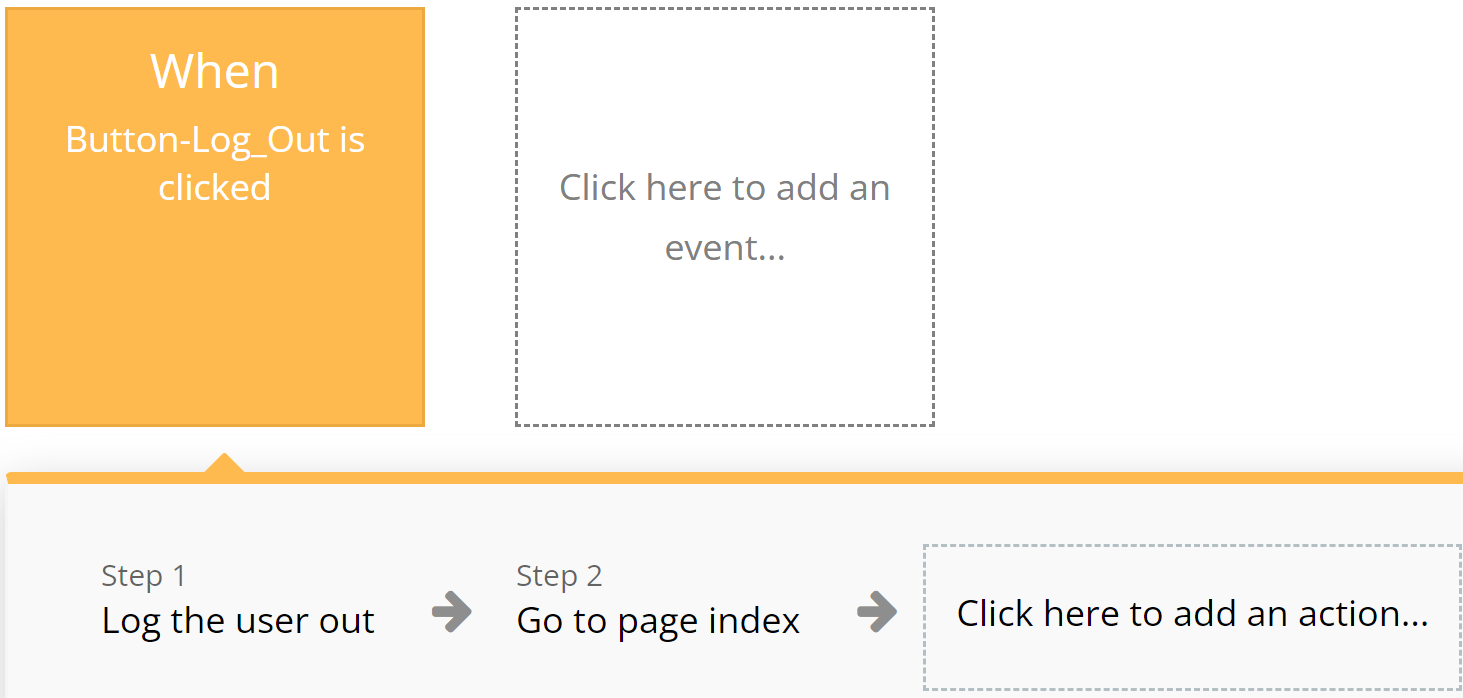
### **Orange**
Used for actions related to app navigation, providing ease of orientation within the interface.
**For example:**
{% tabs %}
{% tab title="Example 1" %}
{% endtab %}
{% tab title="Example 2" %}
{% endtab %}
{% endtabs %}
### **Brown**
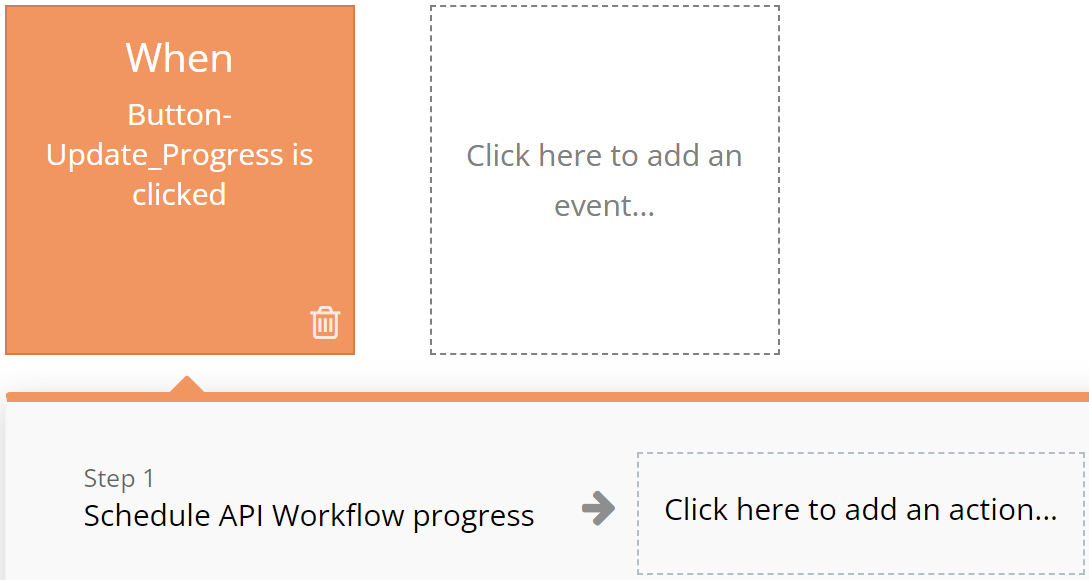
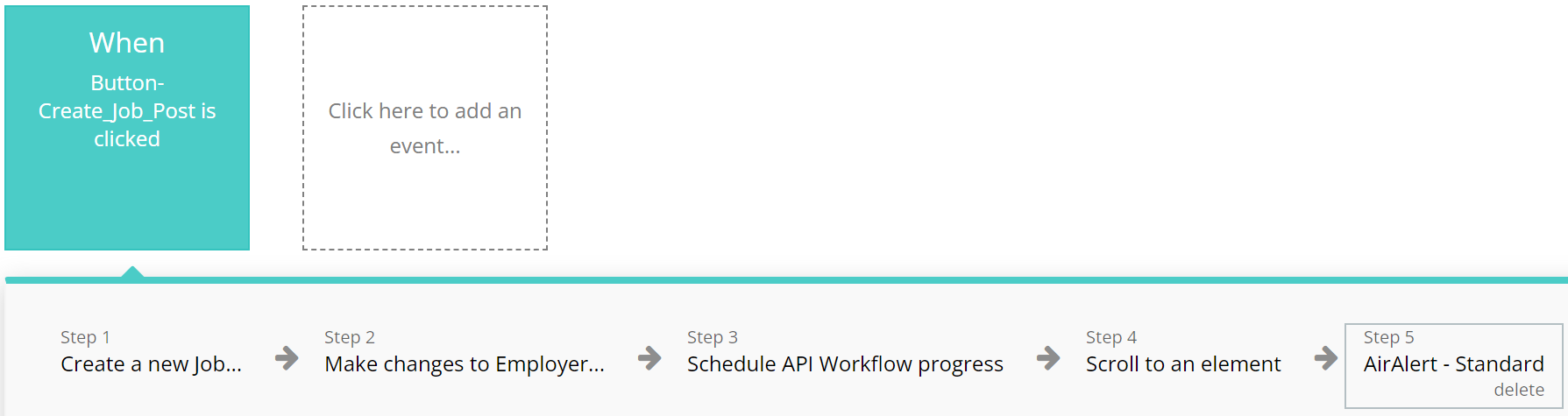
Utilized for custom workflows and API work, highlighting these actions among others.
**For example:**
{% tabs %}
{% tab title="Example 1" %}
{% endtab %}
{% tab title="Example 2" %}
{% endtab %}
{% endtabs %}
### **Purple**
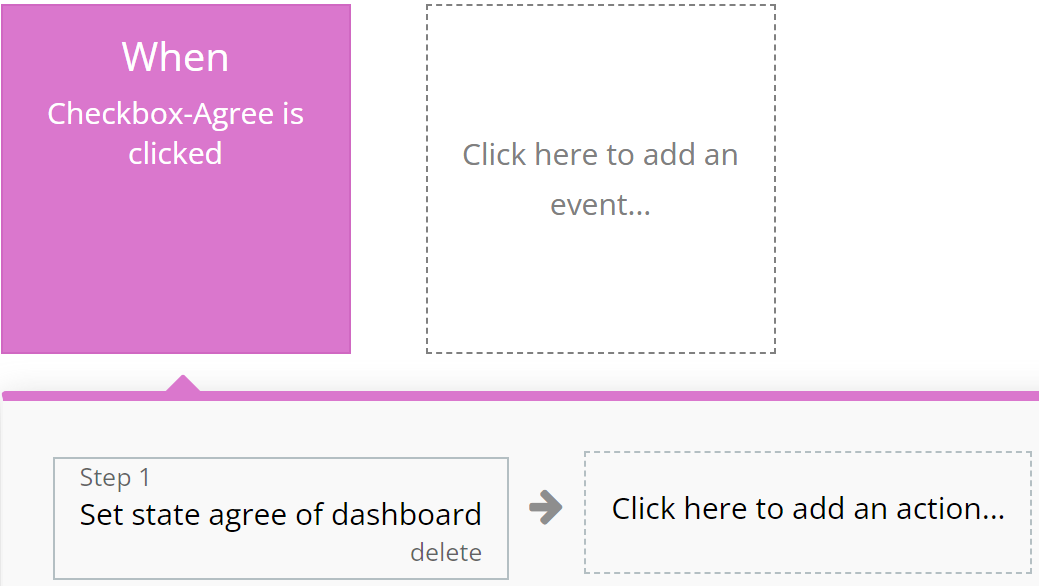
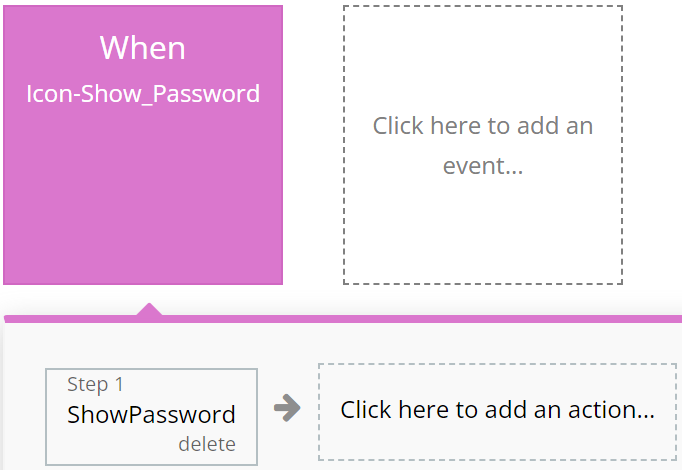
Left to the developer's discretion for assigning color to actions as they see fit.
**For example:**
{% tabs %}
{% tab title="Example 1" %}
{% endtab %}
{% tab title="Example 2" %}
{% endtab %}
{% endtabs %}
### **Cyan**
**I**ntended for actions involving the use of Custom Events, ensuring ease of perception for complex operations.
**For example:**
{% tabs %}
{% tab title="Example 1" %}
{% endtab %}
{% tab title="Example 2" %}
{% endtab %}
{% endtabs %}
### **Grey**
Employed for all other actions not covered by other colors, aiding in making the interface clear and balanced.
For example:
{% tabs %}
{% tab title="Example 1" %}
{% endtab %}
{% endtabs %}
{% hint style="warning" %}
These standards are purely recommendations. Possible discrepancies do not affect the functionality of the application.
{% endhint %}
***
## Pages
*Below, you will find a list of all the pages available on this platform, along with a brief description of their functionality.*
\ **Index:** Explore our landing page for insights on the template, featuring descriptions, popular products, our brands, recommendations.
**Cart:** In the cart you can see all added products, change these products in the cart and proceed to checkout to order and buy the products.
**Delivery:** In this page you can examine all the information about delivery
**Product Page:** This is the page where you can find all the general information about the product such as name, price, pictures, as well as other information such as product description, reviews, shipping, etc.
**Terms of Use:** This is the terms of use information page
**Wishlist:** In this page we can see the products that the user wants to buy.
**Admin Dashboard:** An admin's dashboard providing essential and up-to-date information.
* The "Dashboard" tab compiles statistics on top products, last products, products low quality, total sales, total orders, total sold products, total users.
* The "Catalog" tab compiles information about all products on the site such as pictures, name, price, description, category, brand and others.
* The "Orders" tab compiles information about all orders on the site such as order number, images, user, price, date, paid and others.
* The "Users" tab compiles information about all users on the site such as name, email, phone, orders, registration date and others.
* The "Mail" tab compiles information about all reviews the site such as name, email, phone, message, date and others.
**User Dashboard:** An user's dashboard providing essential and up-to-date information.
* The "Personal Information" tab compiles all information about user such as name, last name, birthday, phone, email, address and options to edit personal data or change password.
* The "Wish List" tab compiles information about all the products that the user wants to buy but can't get to the current.
* The "My Orders" tab compiles information about all orders the user has made with details such as order number, product image, price, date, status and others.
**Reset Password:** Effortlessly reset your password and receive updated login credentials for seamless access.
**Catalog:** This page compile all information about all products on site.
**Privacy and Policy:** Dive into detailed company profiles, showcasing descriptions, benefits, job openings, social links, and captivating images.
**Signup Login:** Page where the user can create an account to register, log in and sing up to the site.
***
## Reusable elements
1. **Mobile Menu** - a menu bar used only for mobile platform. Used in the following pages: index, cart, delivery, product\_page, terms\_of\_user, wishlist, catalog, privacy\_policy, signup\_login, user\_profile.
2. **Footer** - a section at the bottom of a web page containing additional information such as contacts and links. Used in the following pages: index, cart, delivery, product\_page, terms\_of\_user, wishlist, catalog, privacy\_policy, signup\_login, user\_profile.
3. **Product** - a visible element containing general product information. Used in the following pages: index, cart, product\_page, wishlist, catalog, user\_profile.
4. **Product2** - a visible element containing general product information. Used in the following pages: index, cart, product\_page, wishlist, catalog, user\_profile.
5. **Header** - the top part of a web page containing the logo, application name, navigation elements, and other important components. Found on all application pages.
***
## Data Types
### Brand
This data type is designed for storing all Brand related information.
| Field name | Type | Notes |
| ---------- | ----------------------------------- | ---------------- |
| `Category` | `List of` [`Categories`](#category) | Brand categories |
| `ID` | `Number` | Brand id |
| `Image` | `Image` | Brand image |
| `Name` | `Text` | Brand name |
| `Products` | `List of` [`Products`](#product) | Brand products |
### Category
This data type is designed for storing information related to Category.
| Field name | Type | Notes |
| ---------- | -------------------------------- | ----------------- |
| `ID` | `Number` | Category id |
| `Image` | `Image` | Category image |
| `Name` | `Text` | Category name |
| `Products` | `List of` [`Products`](#product) | Category products |
### Content
This data type is designed for storing information related to Banners.
| Field name | Type | Notes |
| ---------- | --------- | -------------- |
| `Banner` | `Image` | Banner image |
| `Cont` | `Content` | Banner content |
### Delivery Methods
This data type is designed for storing information regarding Delivery Methods.
| Field name | Type | Notes |
| --------------- | -------- | -------------------- |
| `Date` | `Date` | Delivery date |
| `Date Delivery` | `Text` | Delivery period |
| `Delivery Days` | `Number` | Delivery days |
| `Image` | `Image` | Delivery image |
| `Name` | `Text` | Delivery method name |
| `Price` | `Number` | Delivery price |
### Mail
This data type is designed for storing information regarding Mail.
| Field name | Type | Notes |
| ----------- | --------------- | -------------- |
| `Email` | `Text` | User email |
| `Full Name` | `Text` | User full name |
| `Mail` | `Text` | Mail content |
| `Status` | `Yes/No` | Mail status |
| `User` | [`User`](#user) | User name |
### Newsletter Users
This data type is designed for storing information regarding Newsletter Users.
| Field name | Type | Notes |
| ---------------- | --------------- | ------------------------- |
| `Email` | `Text` | User email |
| `Privacy Policy` | `Yes/No` | Privacy and policy status |
| `User` | [`User`](#user) | User name |
### Order
This data type is designed for displaying preview of Order.
| Field name | Type | Notes |
| ----------------- | --------------------------------------------------------- | ---------------------- |
| `Adress` | `Text` | Order address delivery |
| `Checked Product` | `List of` [`List of Ordered Products`](#ordered-products) | Order checked products |
| `Delivery Method` | `Text` | Order delivery method |
| `Delivery Price` | `Number` | Order delivery price |
| `Full Name` | `Text` | Order user name |
| `Order Number` | `Number` | Order number |
| `Order Products` | `List of` [`List of Ordered Products`](#ordered-products) | Order products |
| `Order Number` | `Text` | Order number |
| `Owner` | [`User`](#user) | Order owner |
| `Payment Method` | `Text` | Order payment method |
| `Phone` | `Text` | Order user phone |
| `Products Price` | `Number` | Order products price |
| `Status` | `Text` | Order status |
| `Store` | `Text` | Order store |
| `Total Price` | `Number` | Order total price |
### Ordered Products
This data type is designed for storing all information related to Ordered Products.
| Field name | Type | Notes |
| --------------------- | --------------------- | ------------------- |
| `Order` | [`Order`](#order) | Product order |
| `Ordered Products ID` | `Number` | Product products id |
| `Owner` | [`User`](#user) | Product owner |
| `Price` | `Number` | Product price |
| `Product` | [`Product`](#product) | Product name |
| `Quantity` | `Number` | Product quantity |
### Ordered Story
This data type is designed for storing all candidate related Ordered Story.
| Field name | Type | |
| ---------- | ----------------- | ----------- |
| `ID` | `Number` | Order id |
| `Order` | [`Order`](#order) | Order name |
| `Owner` | [`User`](#user) | Order owner |
### Payment Methods
This data type is designed for storing user related information and precisely to Payment Methods.
| Field name | Type | |
| ---------- | -------- | -------------------- |
| `Date` | `Text` | Payment method date |
| `ID` | `Number` | Payment method id |
| `Image` | `Image` | Payment method image |
| `Name` | `Text` | Payment method name |
| `Price` | `Number` | Payment method price |
### Product
This data type is designed for displaying a chart that is build from Product.
| Field name | | |
| ---------------- | ------------------------------- | ---------------------- |
| `Brand` | [`Brand`](#brand) | Product brand |
| `Category` | [`Category`](#category) | Product category |
| `Code` | `Text` | Product code |
| `Description` | `Text` | Product description |
| `Images` | `List of Images` | Product images |
| `Material` | `Text` | Product materials |
| `Price` | `Number` | Product price |
| `Quantity` | `Number` | Product quantity |
| `Rating` | `Number` | Product rating |
| `Reviews` | `List of` [`Reviews`](#reviews) | Product reviews |
| `Sale` | `Number` | Product sale number |
| `Sale Price` | `Number` | Product sale price |
| `Sale yes/no` | `Yes/No` | Product sale status |
| `Sales Quantity` | `Number` | Product sales quantity |
| `Title` | `Text` | Product title |
### Reviews
This data type is designed for displaying a chart that is build from Reviews.
| Field name | | |
| ---------- | --------------------- | -------------- |
| `Owner` | [`User`](#user) | Review owner |
| `Photo` | `List of Images` | Review photos |
| `Product` | [`Product`](#product) | Product review |
| `Rating` | `Number` | Review rating |
| `Review` | `Text` | Review content |
| `Title` | `Text` | Review title |
### User
This data type is designed for displaying a chart that is build from User.
| Field name | | |
| ------------------ | --------------------------------------------------- | --------------------- |
| `Cart` | `List of` [`Ordered productses`](#ordered-products) | User products cart |
| `Day of Birth` | `Date` | User birthday |
| `Delivery Address` | `Text` | User delivery address |
| `Favorites` | `List of` [`Products`](#product) | User favorites list |
| `Full Name` | `Text` | User full name |
| `Last Name` | `Text` | User last name |
| `Order` | [`Order`](#order) | User order |
| `Order History` | `List of` [`Ordered Products`](#ordered-products) | User order history |
| `Phone` | `Text` | User phone |
| `Photo` | `Image` | User photo |
| `Subscribe` | [`Newsletter Users`](#newsletter-users) | User subscribes |
| `User Type` | [`User Type`](#user-type) | User type |
| `Email` | `Text` | User email |
### User Type
This data type is designed for displaying a chart that is build from User Type
| Field name | | |
| ---------- | -------- | ---------------------- |
| `Admin` | `Yes/No` | User type admin status |
| `Demo` | `Yes/No` | User type demo status |
| `ID` | `Number` | User type id |
| `Name` | `Text` | User type name |
***
## Option sets
#### Sortation
* Price low to high
* Price high to low
* Rating low to high
* Rating high to low
***
The template is available in its current form, however, further alterations can be negotiated.
Don't hesitate to reach out to us with any questions, and we'll gladly explore options to accommodate your concepts – Visit us at [https://appassion.io/](https://appassion.io/) or email us at
**We are always at your service through:** [Upwork](https://www.upwork.com/agencies/1472948949083369472/), [Clutch](https://clutch.co/profile/appassion#highlights). \